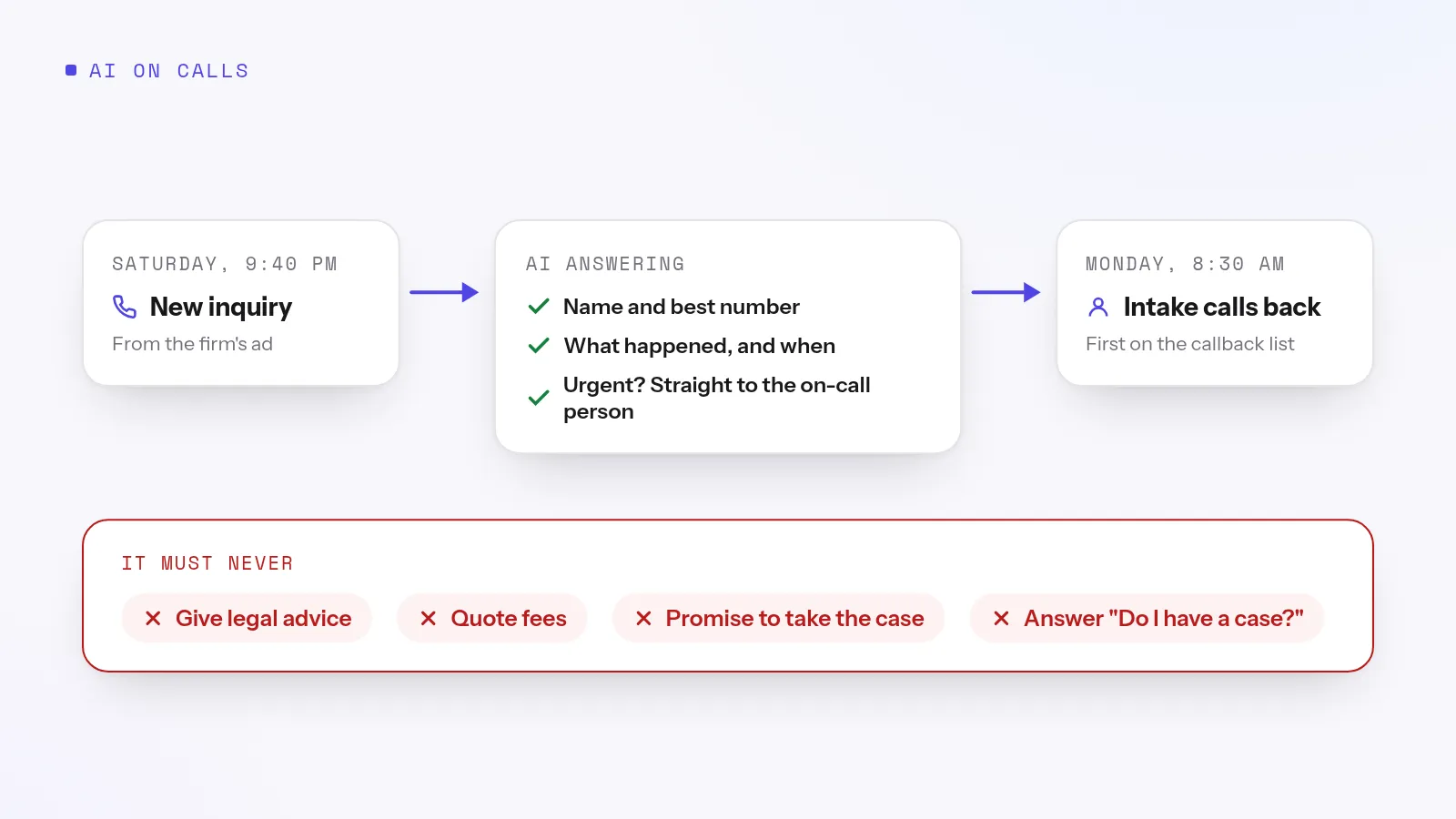
AI phone answering works for law firm intake when it does three things: answers every call your advertising paid for, takes down the basic facts, and hands the caller to a person or a morning callback list. It should never give legal advice, quote fees or promise that the firm will take the case. Use it first after hours and when every intake specialist is busy.
A plaintiff firm pays for every inbound call, and a caller who reaches voicemail at 9 pm often calls the next firm on the page. AI answering closes that gap, as long as it knows where its job ends. This guide is part of our guide to AI phone calls.
Where AI answering fits in intake
Call
AI answering
Intake specialist
After-hours inquiry from an ad
Answers, takes contact details and the basic facts
Calls back first thing
Daytime overflow
Answers when everyone's busy, offers a person
Takes the call or calls back quickly
Existing client
Takes a message for the case team
Handles anything about the case
"Do I have a case?"
Never answers it; books a call with intake
Qualifies and decides
Distressed or urgent caller
Hands to the on-call person at once
Takes over
What to have it ask
Name and the best number and time to call back.
What happened, in the caller's own words, and roughly when.
Where it happened, since that decides which state's rules apply.
Whether they already have a lawyer for this matter.
How they heard about the firm, so you can tie the case back to the ad.
Keep it to five or six questions. Detailed qualifying, injuries and documents are for the intake specialist, who can judge the answers.
Try it on your own numbers. Call SIYA on our main line, +1 (844) 955-7733, and ask her what an intake call would sound like.
Give legal advice or say whether someone has a case.
Quote fees or outcomes, including "no fee unless we win" in a way that sounds like a promise.
Work out a deadline. Limitation periods depend on the state, the claim and when the harm was found. A date field for intake to fill in is safer.
Keep a caller who wants a person. Asking for a human should always work.
Bar rules on solicitation, recording consent and AI disclosure vary by state. This is general information, not legal advice, so check with your own counsel.
Setting it up well
Start after hours. It's where calls are lost today, and where a careful script is easiest to test.
Write the handover first. Decide who gets an urgent call at 2 am and what the caller hears.
Review the first two weeks of calls. Read the transcripts and tighten the instructions where she wandered.
Call back by morning. An answered call that waits two days is barely better than voicemail.
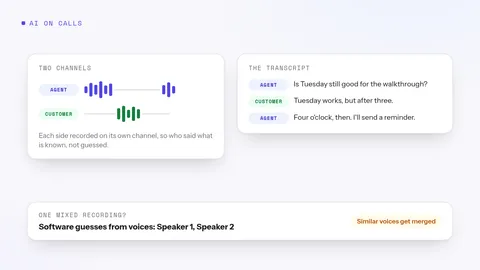
In Adoptiv, SIYA answers calls from a SIYA step in your call flow, and a Business Hours step can send closed-hours calls to her and daytime calls to your intake team. Her answers come from her instructions, your house rules and the knowledge sources you link. When a caller asks for a person, she passes the call to whoever you wired for that request, such as the on-call intake specialist. Recordings keep each side on its own channel. Adoptiv has no conflicts check, e-signature or case management connection, and it never works out a statute date; that stays a field your team fills in. More on legal intake.
Common questions
Can an AI receptionist tell a caller if they have a case?+
It shouldn't. Deciding whether to take a matter is a lawyer's or intake specialist's call. AI answering should take the facts and book the conversation.
Should callers be told they're speaking with AI?+
Many firms say so at the start of the call, and some states require it. Check the rules where you practice.
Is AI answering better than a night answering service?+
It answers every call at once and costs less per call, but a human service handles distress better. Many firms use AI first and keep an on-call person for urgent calls.
What should happen to after-hours intake calls in the morning?+
Someone calls each one back early, oldest first, with the facts the caller already gave on screen, so they don't have to repeat themselves.
Adoptiv is the dialer, the CRM and the AI on one platform, where the busywork logs itself and your reps just talk. Try it free for 14 days, with no credit card.
Questions? Call +1 (844) 955-7733. SIYA answers and puts you through to a person.