Call whisper vs barge: live call coaching modes explained
Adoptiv Team··2 min read
Short answer
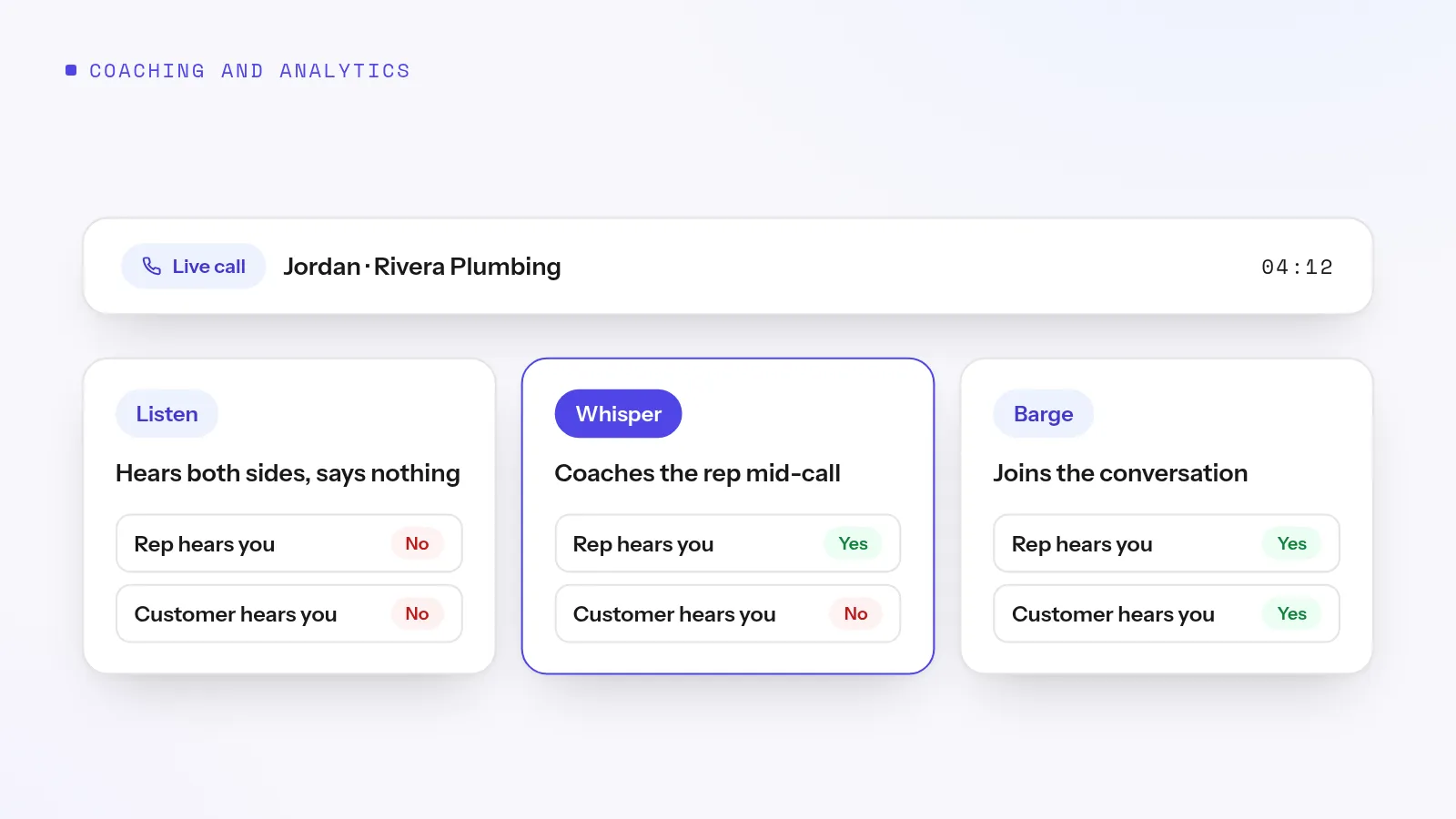
There are three ways for a manager to join a live call. Listen (silent monitoring) hears both sides and says nothing. Whisper speaks to the rep only, and the customer can't hear it. Barge joins the conversation, so both the rep and the customer hear the manager. Start by listening, whisper when the rep needs a nudge, and barge only when the call needs a manager on the line.
Reviewing recordings tells you what went wrong yesterday. Live coaching is the chance to fix it while the customer is still on the phone, as long as you pick the right mode. This post is part of our Call center metrics and coaching: the complete guide.
Who hears what
Mode
Manager hears
Rep hears the manager
Customer hears the manager
Use it for
Listen
Both sides
No
No
Quality checks, new-hire shadowing
Whisper
Both sides
Yes
No
A pointer on an objection or a price
Barge
Both sides
Yes
Yes
Saving a deal, calming an upset customer
When to whisper
Whisper works when the rep knows the material but is stuck in the moment. Keep it to a few words, such as "ask about the timeline" or "offer Thursday". A whispered paragraph means the rep stops listening to the customer to listen to you. If you need more than one sentence, the call probably needs a barge.
Coach reps on live calls without putting anyone on hold. Listen, whisper or barge from the Live tab in Call logs, and switch between them from the call bar.
The customer asks for a manager, or for something only a manager can approve.
A large deal is about to slip and you're the right person to close it.
The call is heading toward a complaint and a new voice will help.
Introduce yourself plainly when you join: "Hi, this is Dana, Sam's manager. I wanted to help with this one." Then hand the call back to the rep if you can, so the customer keeps one contact.
Rules that keep it fair
Tell the team you coach this way. Silent listening should never be a surprise.
Praise in the open, correct in private. Barge to help, never to criticize the rep in front of a customer.
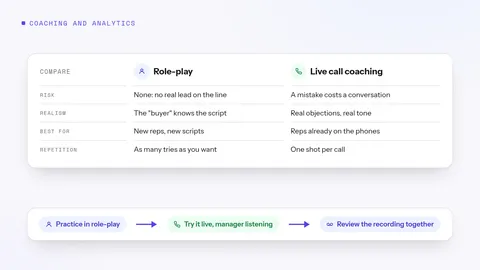
Debrief after the call. Two minutes on what you heard turns one rescued call into a habit. Our weekly sales call coaching routine shows how.
How Adoptiv does it
Supervisors open the Live tab in Call logs, which lists calls in progress a page at a time and refreshes every 15 seconds (see live monitoring). Pick a call and a mode, and your own phone rings and answers itself.
Listen, whisper and barge all run on the same connection, so you can move between them from the call bar without re-dialing or dropping anything. Listen mode shows no badge on the rep's screen and plays no announcement. The rep's call recording carries on underneath, so you can review the call afterwards too. Admins can join any call. Anyone else needs the Supervise calls permission, and can join only the calls of people on teams they manage or who report to them. Permission is checked for each call. Rules on monitoring and recording calls vary by state, and Adoptiv plays no announcement for you, so add your own notice where it's needed. This is general information, not legal advice, so check with your own counsel.
Common questions
What is call barging?+
A supervisor joining a live call so both the rep and the customer hear them. It's the step after listening and whispering.
Can the customer hear a whisper?+
No. Whisper audio goes to the rep only.
Does the rep know a manager is listening?+
Not in Adoptiv's listen mode, which shows nothing on screen. That's why you should tell your team up front that calls may be monitored.
Can I switch from whisper to barge mid-call?+
Yes. In Adoptiv you change mode from the call bar, and the call is never held, dropped or re-dialed.
Adoptiv is the dialer, the CRM and the AI on one platform, where the busywork logs itself and your reps just talk. Try it free for 14 days, with no credit card.
Questions? Call +1 (844) 955-7733. SIYA answers and puts you through to a person.