What is preview dialing, and when is the slower pace worth it?
Adoptiv Team··Updated ·3 min read
Short answer
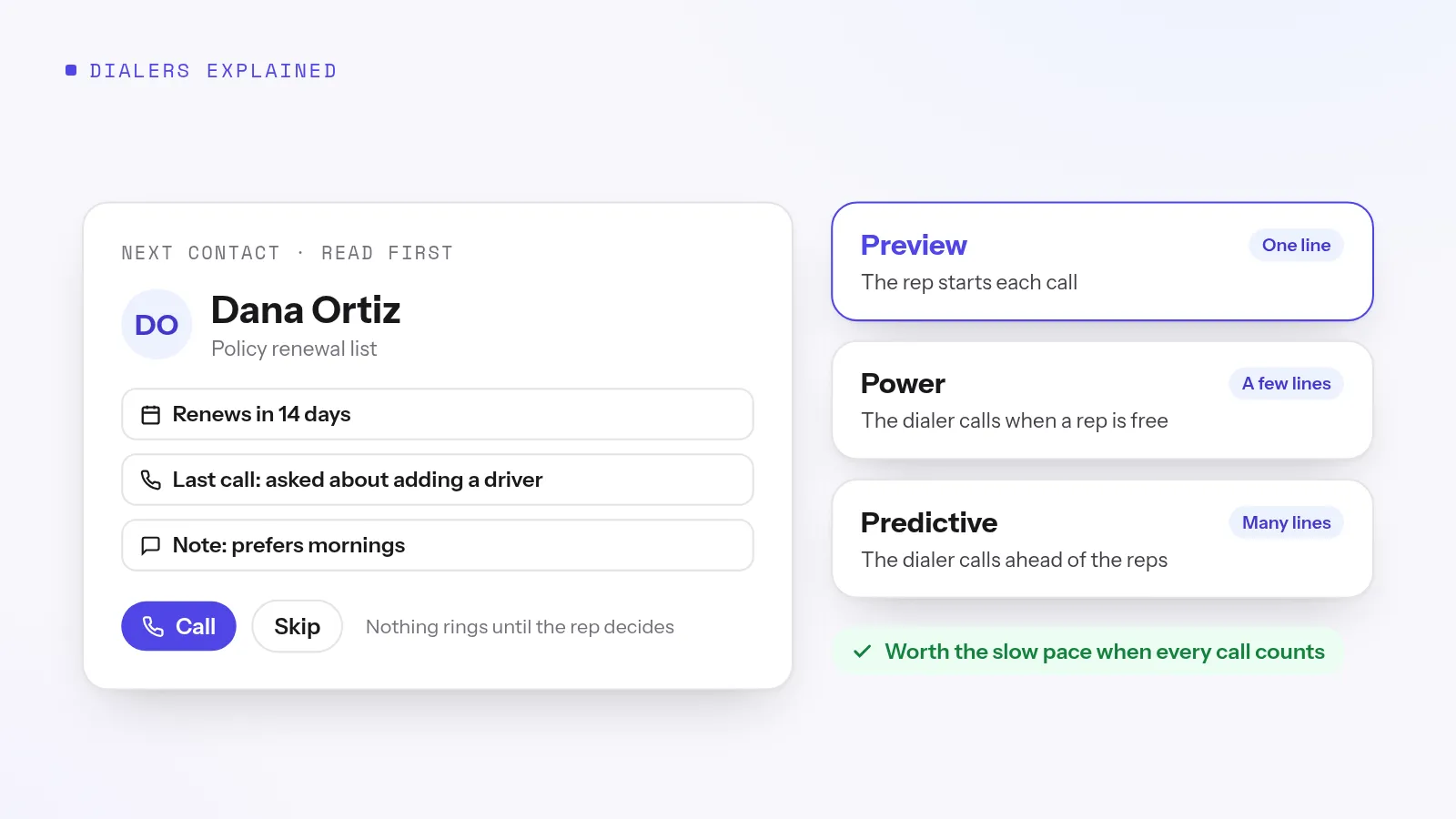
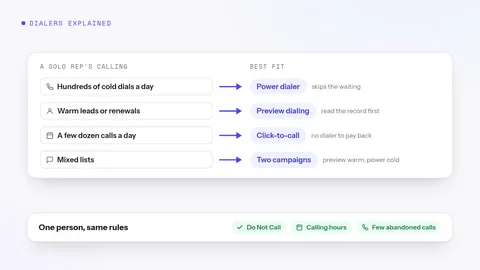
Preview dialing shows the rep the next contact's record first and waits for them to start the call. It's the slowest dialing mode, because one rep makes one call at a time and reads up before each one. That pace pays off on lists where each conversation is worth a lot: renewals, warm leads, key accounts and anything that needs context before "hello".
Each lead is expensive. If a lead costs real money or a deal is worth thousands, a minute of reading is cheap insurance against a clumsy opening.
The call needs context. Renewals, follow-ups on a quote, callbacks someone asked for: the rep should know what happened last time before they speak.
The list is small. A rep with 60 contacts for the day doesn't need a machine opening three lines at once.
Some contacts shouldn't be called today. Preview lets a person spot the one who just bought, or asked for next month, and skip them.
Preview mode is part of Adoptiv Campaigns, now in early access. Book a demo to see whether it fits your lists.
When it isn't
On a large cold list where most numbers don't answer, preview dialing wastes the rep's time on ringing and voicemail. Reading a blank record before each call adds nothing. That's power dialing's job. A useful rule: if reps barely look at the record before they talk, the list doesn't need preview.
Making preview dialing faster
Put the two or three facts that matter at the top of the record, so reading takes seconds.
Set a target pace per hour and watch it, so "reading up" doesn't stretch into minutes.
Keep outcomes short and consistent, so the next person who previews the record learns something.
Preview dialing in Adoptiv
Preview is one of the dialing modes in Adoptiv Campaigns, which are in early access. In a preview campaign the contact's record opens first. By default the call then starts by itself after a 5-second countdown, unless the rep calls sooner, skips the contact or pauses; the countdown can be set up to 30 seconds or switched off, so the rep presses dial. The mode is chosen when a campaign is created and stays fixed. A lead on your own do-not-call list, or flagged as a known litigator, is never dialed. In a preview campaign, a lead on the federal Do Not Call list or without a recent screening isn't skipped: the rep sees a warning and can call only after picking a reason, such as consent on file. Power and predictive campaigns skip those leads by default.
This is general information, not legal advice, so check with your own counsel.
Common questions
What is a preview dialer?+
A dialer that shows the rep the next contact's details first and waits for them to start the call.
Is preview dialing slower than power dialing?+
Yes. One rep makes one call at a time and reads up first. It's chosen for call quality, not volume.
Can a rep skip a contact in preview mode?+
Usually, yes. Skipping is one of the reasons to use preview: a person can spot a contact who shouldn't be called today.
Does preview dialing drop calls?+
No. Each call goes to the rep who is already looking at the record, so there's never a customer waiting for a free rep.
Adoptiv is the dialer, the CRM and the AI on one platform, where the busywork logs itself and your reps just talk. Try it free for 14 days, with no credit card.
Questions? Call +1 (844) 955-7733. SIYA answers and puts you through to a person.