
Two leads are possible duplicates when they share an email address or phone number in the same program. Open either one: its Overview tab shows a Possible duplicate alert. Press Compare and merge, pick which values to keep, and press Merge records.
Before you start
- A merge deletes the other record, so you must be allowed to delete it. That needs Full access on the Leads row of your permission set. Without it, the alert shows but Compare and merge doesn't.
- A merge can't be undone.
Where duplicates are flagged
- Adding a lead: the New lead form warns you and offers Open it.
- Editing a lead: changing an email, primary phone or mobile in Lead Details warns you if another lead in the program has it. You can still save.
- Opening a lead: the Overview tab shows the Possible duplicate alert.
- Importing: the import's Duplicates step decides what happens to rows that match a lead you have.
Emails and numbers are compared in a standard form, so differences in capitals or number formatting don't hide a match.
Merge two leads
- Open one of the leads and go to the Overview tab.
- In the Possible duplicate alert, press Compare and merge. If you have unsaved changes, you're asked about them first.
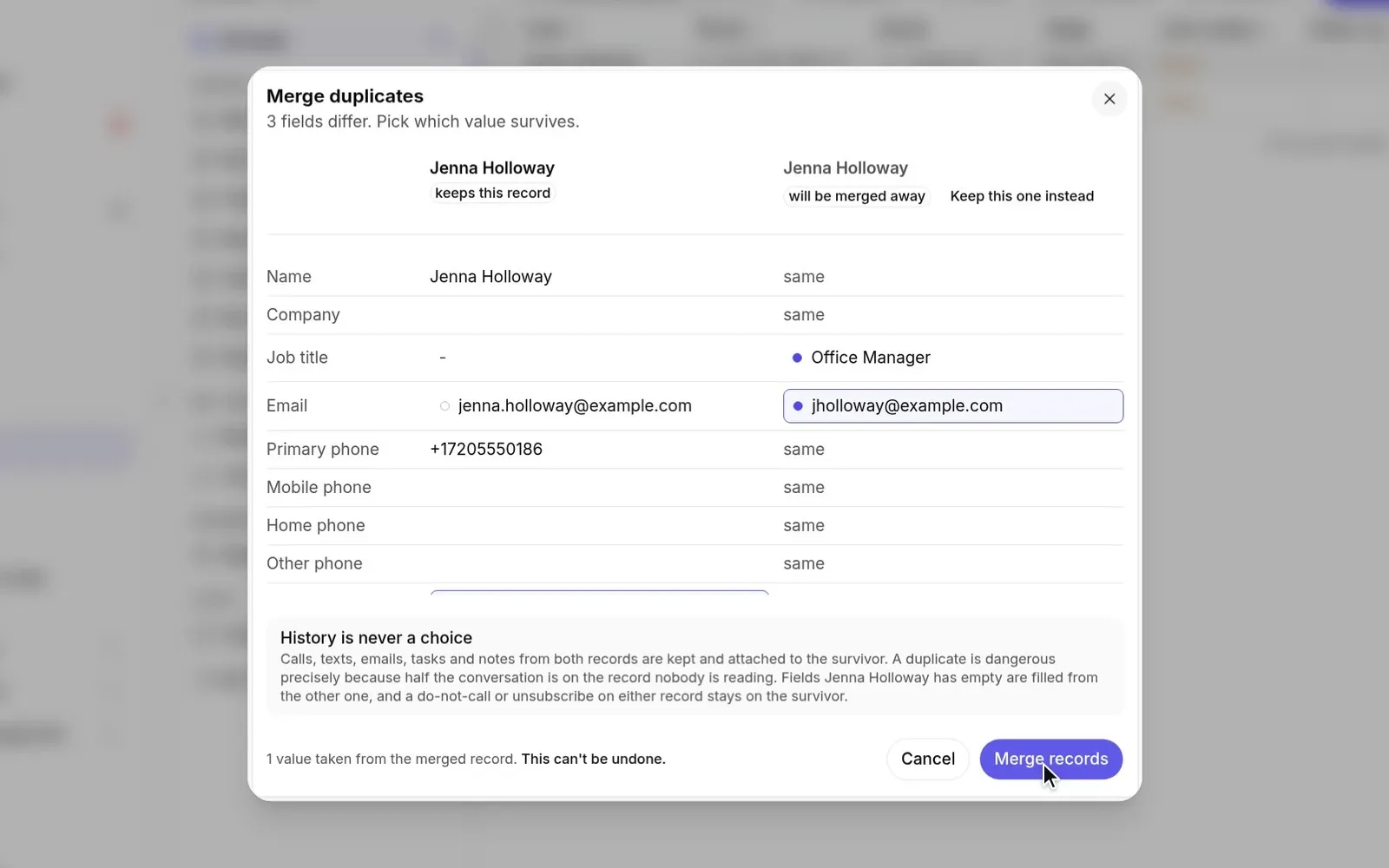
- The record you opened is marked keeps this record and the other will be merged away. To keep the other one instead, press Keep this one instead.
- For each field that differs, such as name, email, phone numbers, address, stage, owner and lead source, pick the value to keep.
- Press Merge records.
What a merge does
- Calls, texts, emails, tasks and notes from both records are kept on the one that stays.
- Fields that are empty on the kept record are filled from the other one.
- A Do Not Call or unsubscribe on either record stays on the kept one.
- The other record is deleted straight away. It doesn't go to the recycle bin.
When there's nothing to merge
- Also a lead in another program: a person can be a lead in each program, so those records stay separate on purpose.
- A match you can't see: the alert only says another lead has this email or number. Ask someone who can see it, or an admin, to check.