
To fix a mailbox that stopped syncing, open My Emails and choose the Connections tab. Each mailbox under Connected accounts shows its status. If it says Disconnected or Sync failing, connect the same mailbox again: press Connect next to your provider and sign in with the same address. The mail you already have is kept.
How you find out
- The bell shows Your mailbox stopped syncing when Adoptiv had to disconnect your mailbox. For a shared mailbox, its owner and the workspace's owners and admins get A shared mailbox stopped syncing.
- The Inbox tab shows a red bar saying the address is disconnected or is not syncing, with a Reconnect button that opens Connections.
- On Connections, the mailbox's badge says Disconnected, Sync failing or Sync late instead of Active. The line under it says when it last synced.
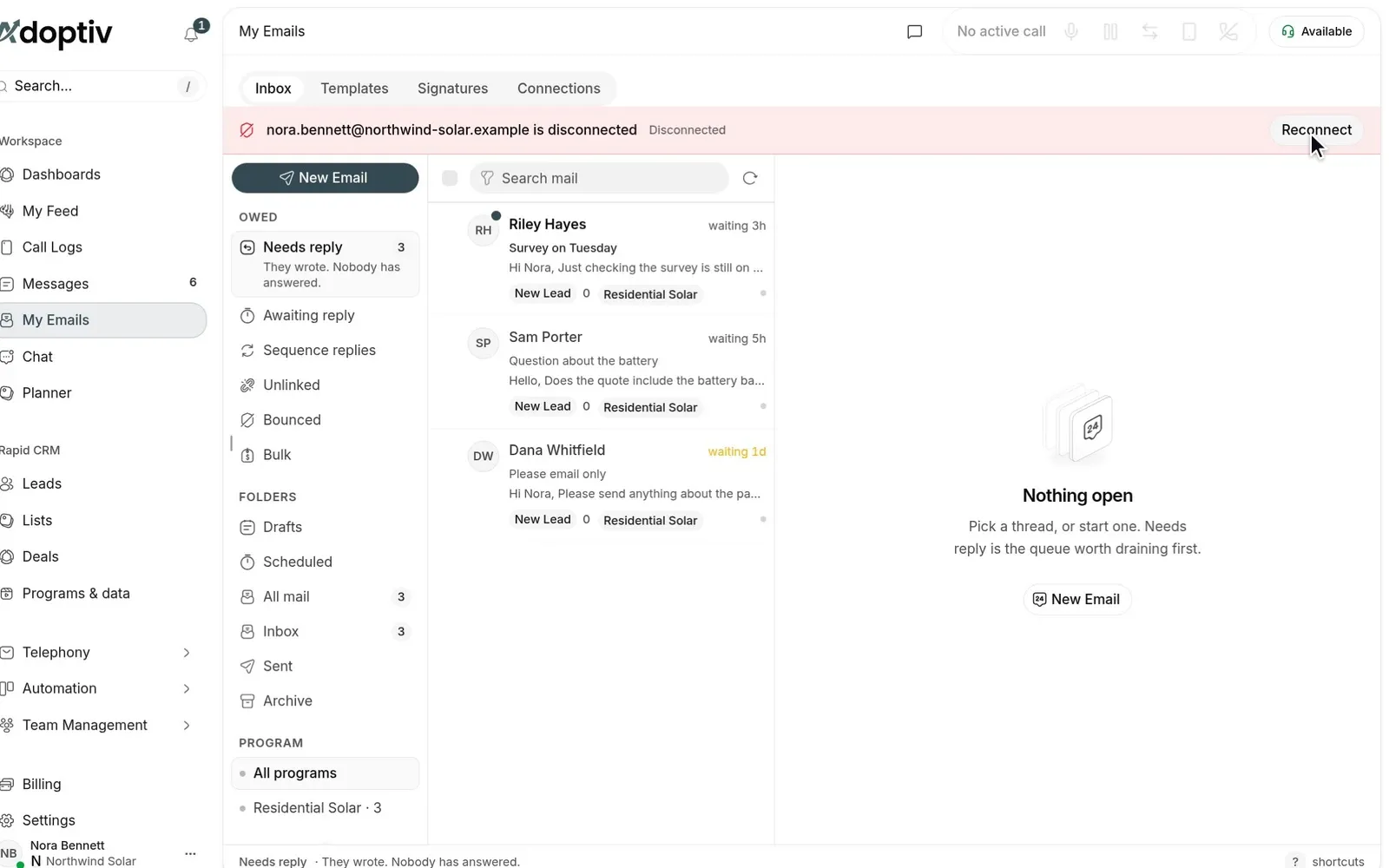
Disconnected
Your email provider stopped accepting Adoptiv's access, so no new mail arrives and you can't send from that address. This happens when, for example, you change your email password, remove Adoptiv's access in your Google or Microsoft account, or the password saved for an IMAP mailbox stops working.
- Open My Emails → Connections.
- Under Connect your inbox, press Connect next to the provider you used before.
- Sign in to the same mailbox and allow everything the provider asks for.
- Back in Adoptiv, you see Mailbox connected and the badge returns to Active.
For an IMAP/SMTP mailbox, press Connect next to IMAP/SMTP and enter the same address with its current password. Many providers need an app password here. See Connect your mailbox.
Sync failing or Sync late
Sync failing (Sync failed - mail may not be arriving) means the last check didn't work. Sync late (for example Not synced for 3 hours - mail may be late) means Adoptiv hasn't checked the mailbox for 2 hours or more. It normally checks every 5 minutes, and keeps retrying by itself. To speed things up:
- Press Test. Adoptiv sends a test email from the mailbox to its own address. Connection works means sending still works - it doesn't check incoming mail.
- Press Sync now to check for new mail straight away. You see Sync started.
- If it still says Sync failing after a while, reconnect it as described above.
Mail arrives a few minutes late
Some mailboxes get new mail the moment it arrives. If the mailbox says Real-time delivery is not active for this mailbox, so mail arrives on the 5-minute sync instead., mail still arrives, just a little later. The sentence after it says what to do, for example reconnect the mailbox and allow everything Google asks for.
Folders look wrong
If folders are missing or some mail doesn't show in any folder, press Repair folders. You see Folders repaired.
A shared mailbox
Only the person who connected it, owners, admins and people with the Manage Settings permission can test or repair a shared (Global) mailbox, and only owners, admins and people with Manage Settings can reconnect it. Everyone else sees An admin can reconnect this shared mailbox. and can still press Sync now. When you reconnect a shared mailbox, choose Global when Adoptiv asks.
If reconnecting doesn't work
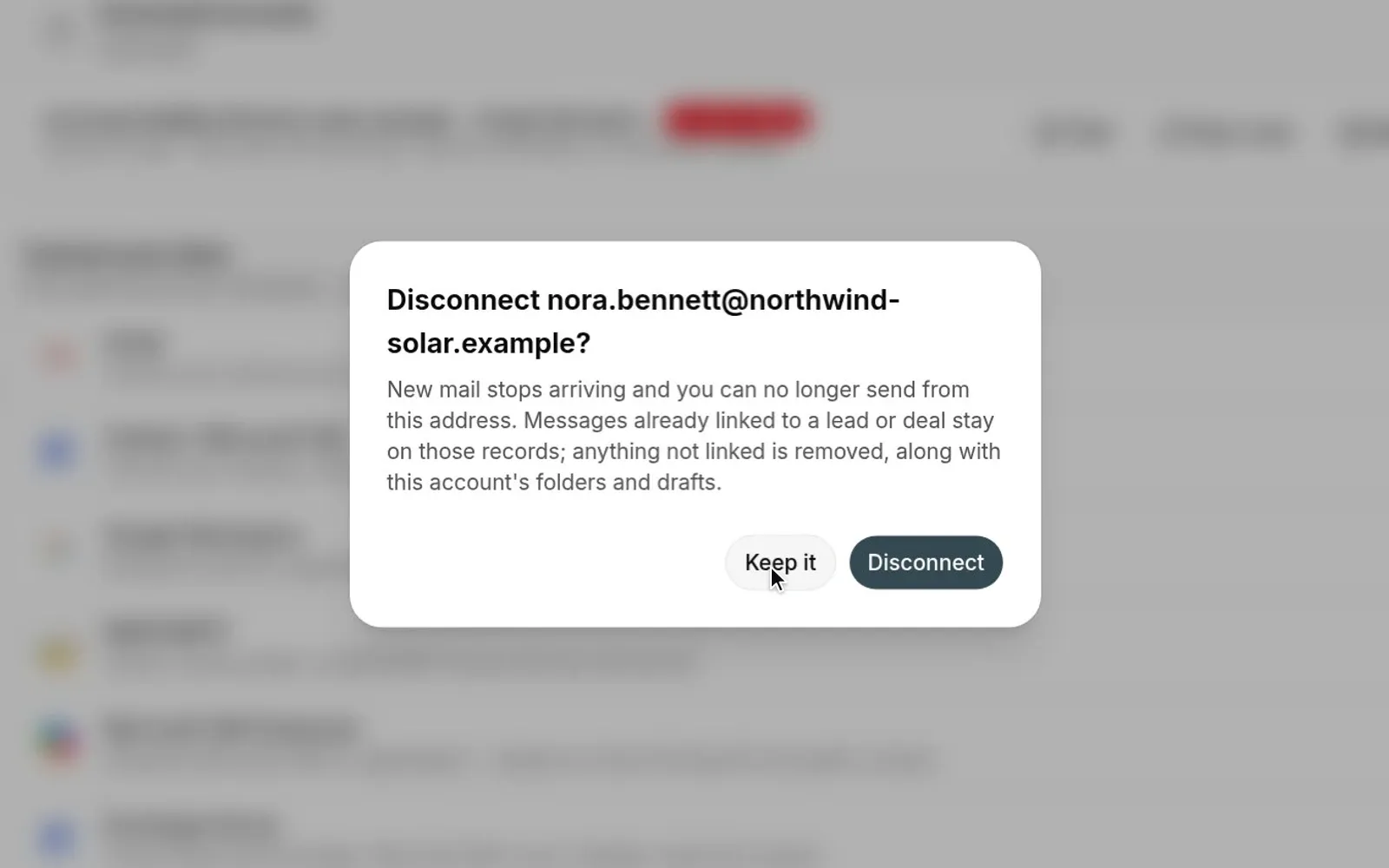
- You already have a mailbox connected. Disconnect it first - one mailbox per person. You picked a different provider from the one your mailbox uses. Press Connect next to the provider you used before.
- That sign-in attempt expired. Try connecting again. Start again from Connect.
- Google did not complete the connection. Try again. or Microsoft did not complete the connection. Try again. Try again and allow every permission asked for.
If nothing here helps
Contact Adoptiv support by live chat on adoptiv.com/help, or by email at [email protected]. It helps to send the mailbox's address and provider, the badge and the last-synced time shown on Connections, any sentence shown under it, and what you've already tried.