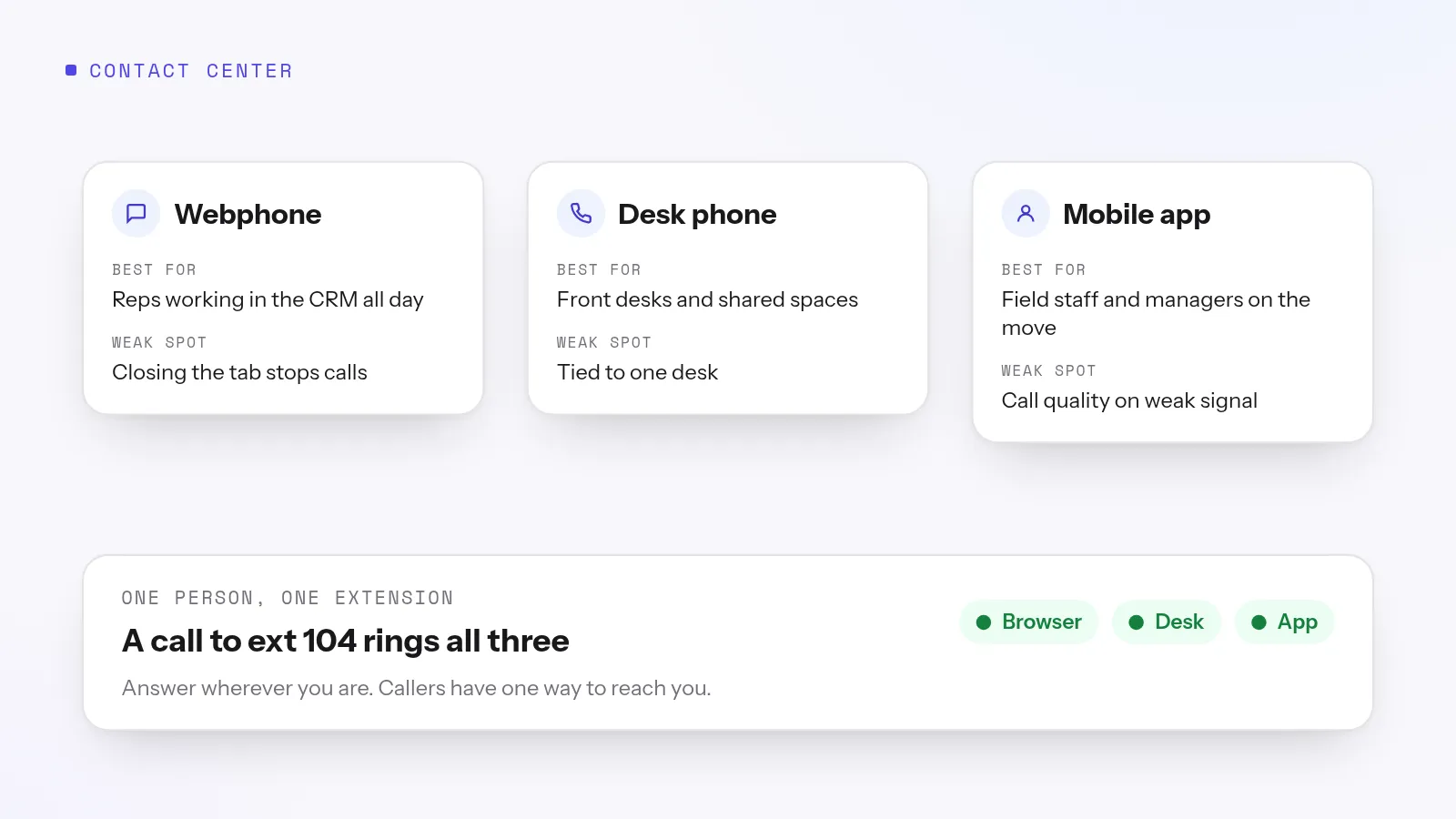
A webphone (a phone in a browser tab) suits reps who work at a computer all day and want calls next to their CRM. A desk phone suits people who want a handset that's always on and doesn't depend on a laptop. A mobile app suits people who move around. Most teams don't have to choose: if each person's extension rings all three, reps use whichever device fits the moment.
The question used to be which phone to buy. With cloud phone systems it's which device each person should answer on, and the answer often changes during the day. This post is part of our guide to contact center software.
How the three compare
Webphone
Desk phone
Mobile app
Setup
Sign in, plug in a headset
A handset to buy and configure
Install and sign in
Best for
Reps working in the CRM all day
Front desks, shared spaces
Field staff, managers on the move
Depends on
An open browser and a good headset
Power and a network cable or Wi-Fi
Mobile data or Wi-Fi, and battery
Weak spot
Closing the tab or laptop stops calls
Tied to one desk
Call quality on weak signal
Extra cost
A headset
The handset
None beyond the phone
When a webphone wins
For a rep who spends the day in a CRM, a phone in the same tab removes a step: click a number, talk, write the notes, move on. There's no hardware to ship to remote staff. The catch is that the phone only works while the tab is open, so reps need a quality headset and a habit of keeping the tab up during their shift.
When a desk phone wins
A desk phone is always on. It doesn't care if a laptop restarts for updates, and anyone can pick it up. That makes it a good fit for a reception desk, a shared office line, or anyone who simply prefers a handset.
Try it on your own numbers. Give each rep one extension that rings the browser, the Android app and a desk phone, and move calls between them.
People who aren't at a desk, such as field technicians, site managers and owners between meetings, still need business calls on the business number, not their personal one. An app keeps that separation. Our post on a business phone app for Android covers what to look for.
Why one extension beats three numbers
Giving someone a desk number, a softphone and a mobile number means callers have to guess where to reach them. An extension that rings every device a person uses keeps one way to reach them, and lets them answer wherever they are. Our guide to phone extensions for small business explains how to plan them.
Webphone, desk phone and app in Adoptiv
In Adoptiv the webphone runs in the browser tab you already use, with nothing to install. Each person gets one extension, and it rings the browser, the Android app and a desk phone, each with its own login. The Android app runs on Android 10 or later and is downloaded from adoptiv.com/download. There's no iPhone app yet.
You can move a live call from one device to another. The new device rings first, and the old one lets go only once it answers, so the caller doesn't notice. Only one phone session runs at a time: tabs in the same browser share it, and signing in on another browser or computer moves it there (never mid-call), so a call never rings in two places at once. Call recording keeps one file through a device switch.
Common questions
Is a webphone as good as a desk phone?+
For call quality, yes, with a good headset and a stable connection. The difference is that a webphone needs the browser open, while a desk phone is always on.
Do I need a desk phone for a remote team?+
Usually not. A webphone and a headset cover most remote reps, and a mobile app covers people away from a computer.
Can one person use all three?+
Yes, if the phone system rings one extension on every device. In Adoptiv one extension reaches the browser, the Android app and a desk phone.
Is there an Adoptiv app for iPhone?+
Not yet. The mobile app is for Android 10 or later; iPhone users can call from the browser.
Adoptiv is the dialer, the CRM and the AI on one platform, where the busywork logs itself and your reps just talk. Try it free for 14 days, with no credit card.
Questions? Call +1 (844) 955-7733. SIYA answers and puts you through to a person.