A remote call center needs three things: a cloud phone system that rings agents wherever they log in, a decent headset and connection for each agent, and a way for managers to hear live calls and review recorded ones. Get those right and a team at home can answer and dial as well as one in an office.
Plenty of call centers now run with agents at home, or with a mix of office and remote seats. The hard parts aren't the calls themselves; they're the setup on each desk, the routing that finds the right person, and supervision when you can't walk the floor. This post is part of our contact center software guide.
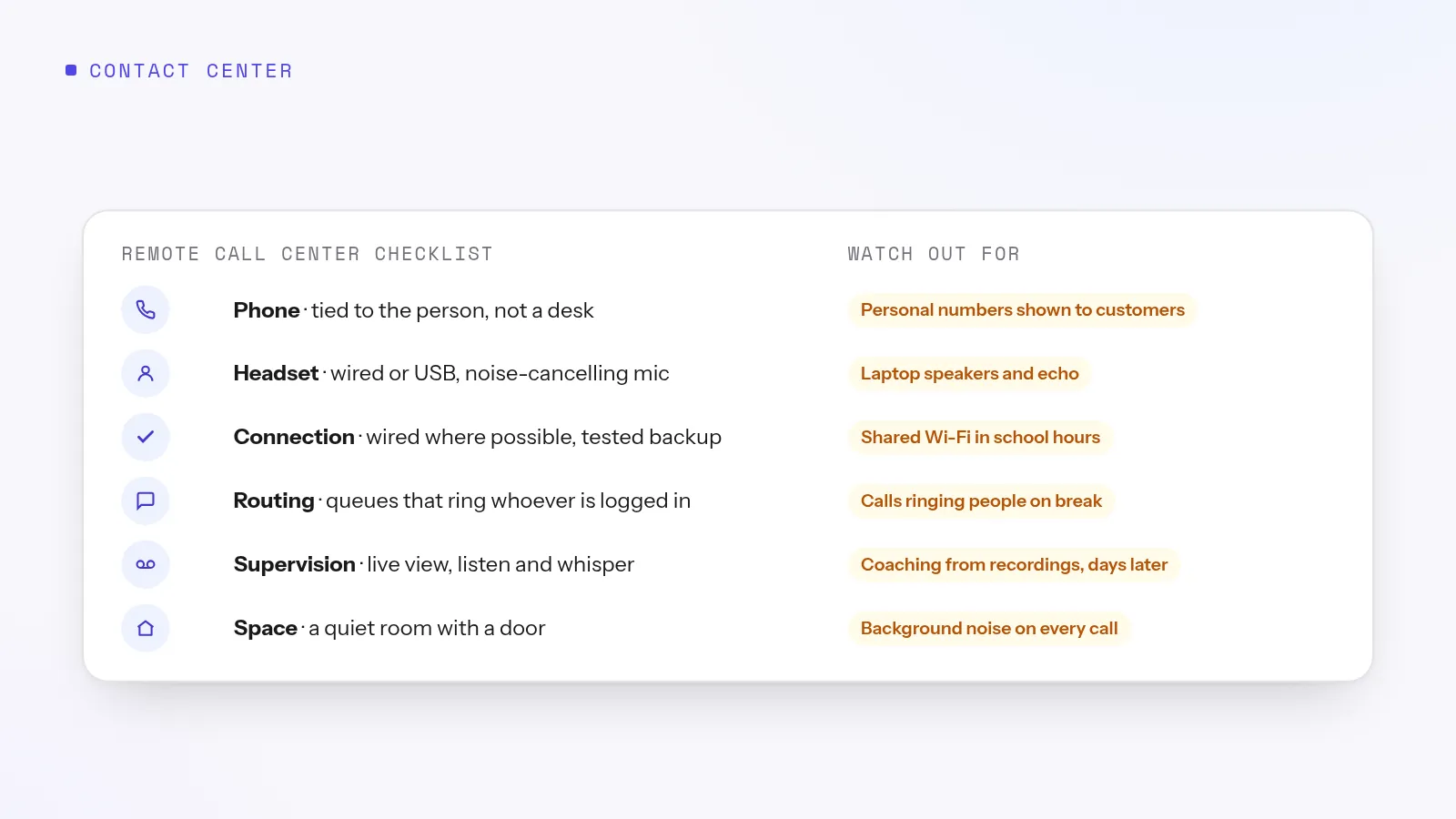
The checklist
Area
What to set up
Watch out for
Phone
A browser or app phone tied to each person, not a desk
Personal mobiles showing their own numbers to customers
Headset
A wired or good USB headset with a noise-canceling mic
Laptop speakers and built-in mics causing echo
Connection
Wired internet where possible; a tested backup
Shared home Wi-Fi during school hours
Routing
Queues and ring order that work whoever is logged in
Calls ringing people who've gone on break
Supervision
A live view of calls, plus listen and whisper
Coaching only from recordings, days later
Space
A quiet room, a door, an "on a call" signal for the household
Background noise on every call
Phones that follow the person
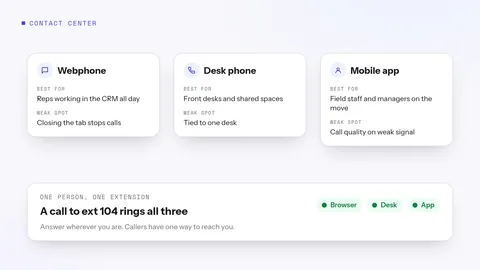
The biggest change from an office setup is that the extension should belong to the agent, not to a desk. Then the same queue call reaches someone whether they're on a laptop at home, a phone in the car or a desk phone on office days. Our guide to phone extensions for small business explains how to plan them.
Try it on your own numbers. Give every remote agent one extension on the browser, Android app and desk phone, and coach live calls.
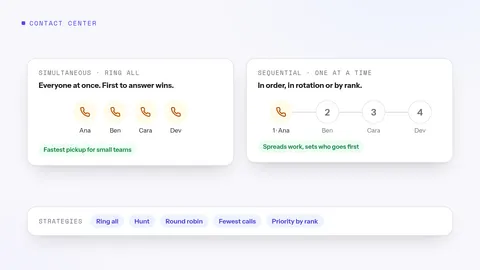
In an office you can see who's free. Remotely, the phone system has to know. Use queues with a clear ring strategy, so calls go to whoever is available rather than to a fixed list, and make sure agents set themselves away for breaks. Our post on ring strategy compares ringing everyone at once with ringing in order.
Supervising and coaching remotely
Managers lose the cues they get from walking the floor, so replace them on purpose. Watch a live view of calls in progress, listen in on new hires' calls in their first weeks, and whisper a hint when a call is slipping. Review recordings in a short weekly session. Our guide to call whisper and barge covers when to use each. Rules on monitoring and recording calls vary by state, so add your own notice where it's needed. This is general information, not legal advice, so check with your own counsel.
Running a remote team on Adoptiv
In Adoptiv, each person gets one extension. It rings the browser, where the phone runs with nothing to install, the Android app (Android 10 or later) and a desk phone with its own login. Any call flow or call queue that sends a call to a person reaches all three. Mid-call, you can move the conversation to another device: the new one rings first, and the old one drops only after it answers. There's no iPhone app yet, so iPhone users call from the browser.
The live calls board shows calls in progress, with the rep, the contact, the queue and how long each has run. Admins can join any call; anyone else needs the "Supervise calls" permission, which covers the calls of people on their teams or who report to them, checked before they join. From a row you can listen, whisper or barge, and switch between them without dropping the call.
Common questions
What equipment does a remote call center agent need?+
A computer with a modern browser, a good headset with a noise-canceling microphone, a stable internet connection and a quiet room. A desk phone is optional.
Can remote agents use their own mobile phones?+
Yes, through a business phone app, so customers see the business number rather than the agent's own. Adoptiv's app is for Android today.
How do you supervise a remote call center?+
With a live view of calls in progress, the ability to listen and whisper, and regular reviews of recorded calls. Set expectations for status, like marking yourself away on breaks.
Is a remote call center cheaper than an office?+
Usually, because you skip rent and desk hardware. Budget instead for headsets, a backup connection and the manager time that remote coaching takes.
Adoptiv is the dialer, the CRM and the AI on one platform, where the busywork logs itself and your reps just talk. Try it free for 14 days, with no credit card.
Questions? Call +1 (844) 955-7733. SIYA answers and puts you through to a person.