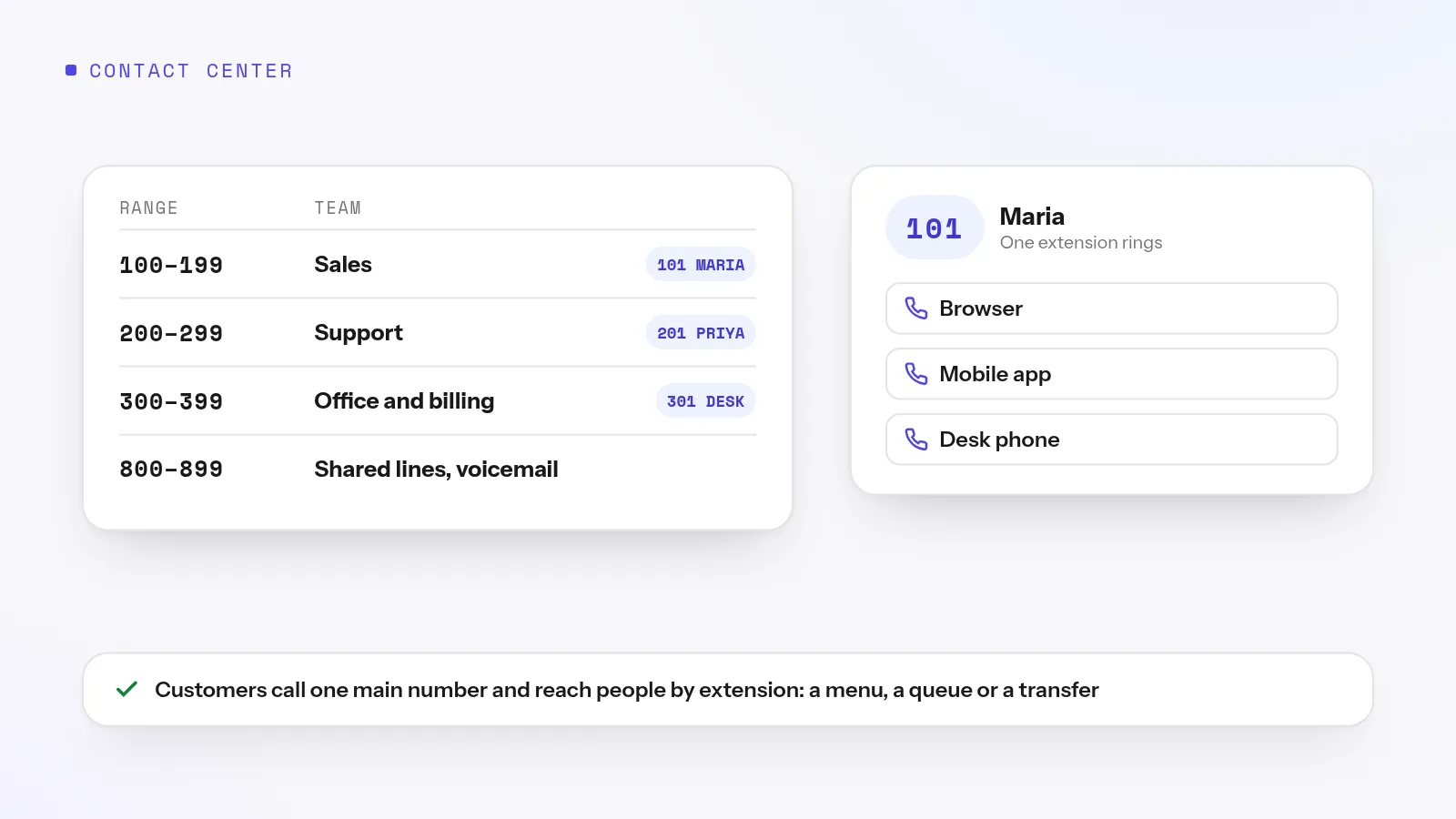
A phone extension is a short internal number, such as 104, that reaches one person or team inside your phone system. Customers call your main number and reach people by extension through a menu, a queue or a transfer, so you don't need a separate outside number for everyone. Small businesses usually give each person an extension, number them in blocks by team, and keep direct numbers for the few people customers call by name.
Extensions are the oldest idea in business phones, and they still matter on a cloud phone system: they're how calls find people once they arrive. This post is part of our contact center software guide.
How extensions work
Your outside numbers bring calls in. Inside the system, each person or device has an extension. A menu option, a queue or a colleague's transfer sends the call to that extension, and the extension rings whatever devices it's tied to. Colleagues can usually call each other by extension too, without the call leaving the system.
A simple numbering plan
Range
Used for
Example
100–199
Sales
101 Maria, 102 Sam
200–299
Support
201 Priya, 202 Tom
300–399
Office and billing
301 front desk
800–899
Shared lines and voicemail boxes
800 sales voicemail
Blocks by team make extensions easy to guess and leave room to grow. Three digits suit most small businesses; don't start an extension with 9 or 0 if your staff are used to those meaning an outside line or the operator.
Try it on your own numbers. Give everyone one extension that rings their browser, Android app and desk phone, with a US number on every seat.
An extension costs nothing extra and keeps callers on your main number, which is easier to market and to route. A direct number is a full outside number for one person, useful for account managers, salespeople whose clients call them back, or anyone whose number goes on a business card. Most small teams give everyone an extension and add direct numbers only where customers need them. When several people should answer the same calls, use a queue or a ring group rather than a shared extension; our post on call queues vs ring groups explains the difference.
One person, several devices
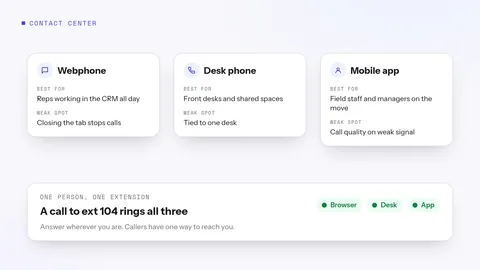
On older systems an extension was a desk phone. On a cloud system it's the person, and it can ring a computer, a mobile app and a desk phone at once. That matters for small teams, where people move between the desk, the road and home. It also changes how you handle transfers between colleagues, covered in our guide to warm vs cold transfers.
Extensions in Adoptiv
In Adoptiv, each person gets one extension, unique in your workspace and up to 30 characters. That one extension rings the browser, where the phone runs with nothing to install, the Android app (see our post on the business phone app for Android) and a desk phone with its own login. Any call flow or call queue that sends a call to a person reaches all three. Mid-call, you can move the conversation to another device: the new one rings first, and the old one drops only after it answers. Every seat also has its own US business phone number.
Common questions
What is a phone extension?+
A short internal number that reaches one person or team inside your phone system, without a separate outside number.
How many digits should extensions have?+
Three digits suit most small businesses. Number them in blocks by team so they're easy to remember.
Can an extension ring my mobile?+
On most cloud phone systems, yes. In Adoptiv one extension rings the browser, the Android app and a desk phone. There's no iPhone app yet.
Do I need a direct number for everyone?+
No. Give everyone an extension and add direct numbers only for people customers call by name.
Adoptiv is the dialer, the CRM and the AI on one platform, where the busywork logs itself and your reps just talk. Try it free for 14 days, with no credit card.
Questions? Call +1 (844) 955-7733. SIYA answers and puts you through to a person.