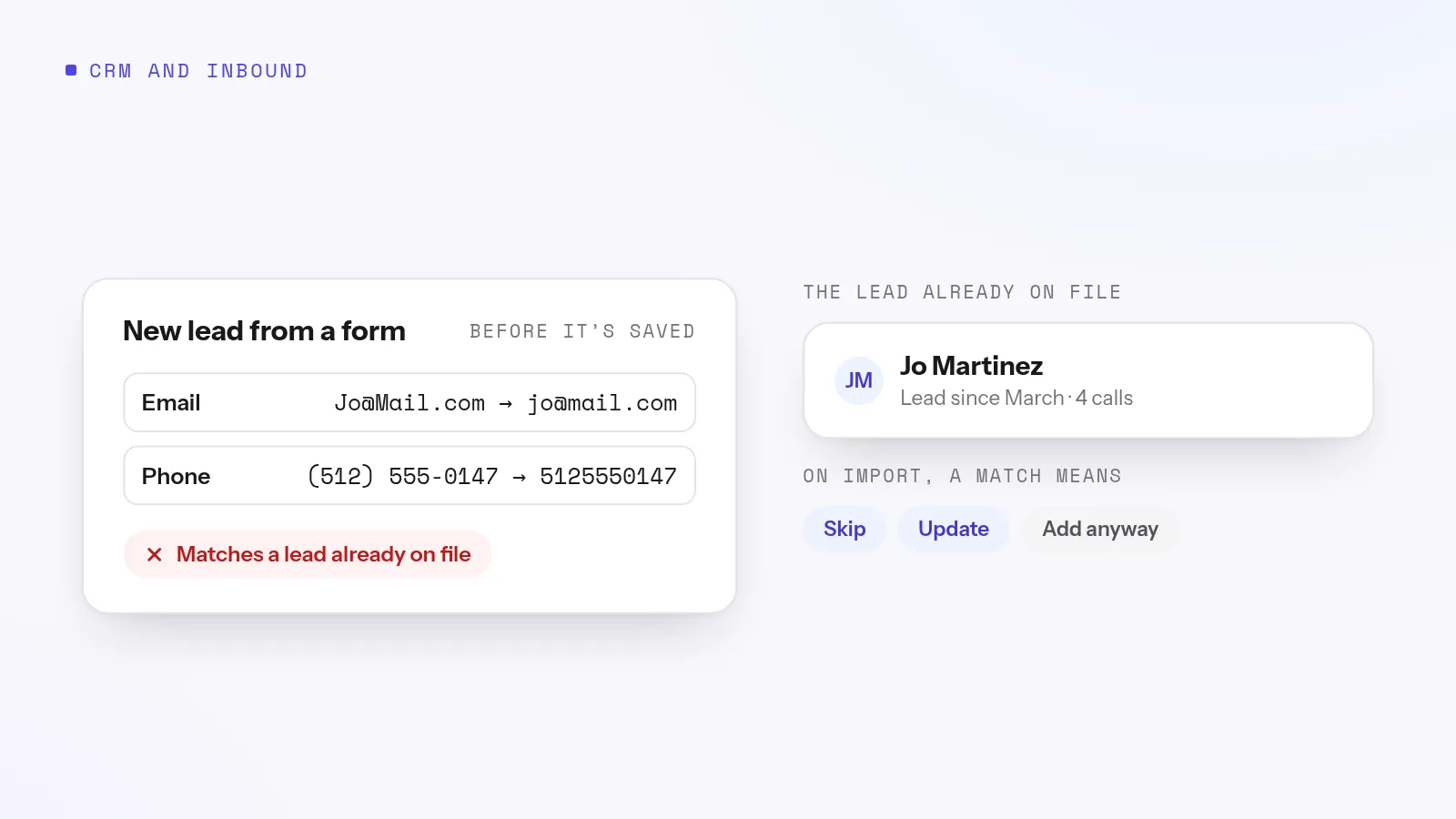
Duplicate leads come from imports, lead vendors resending the same person, web forms, and inbound calls from numbers already on file. Prevent them by checking every new lead against your list by email and phone before it's saved, cleaning formats first so "(555) 123-4567" matches "5551234567", and deciding in advance what a match should do: skip it, update the original, or keep both.
A duplicate lead looks harmless, one extra row. On a calling team it isn't. Two reps call the same person on the same day. A customer who asked not to be called gets a call from the copy. The history is split, so nobody sees the whole conversation. And your reports count one person as two leads.
Where duplicates come from
Source
How it happens
Fix
Spreadsheet imports
The same list, or overlapping lists, imported twice
Check every row against existing leads on import
Lead vendors and forms
A retry or a resubmitted form sends the same lead again
Ignore repeat deliveries, and match on email and phone
Bought lists from several vendors
The same homeowner appears on three lists
Match across lists, not just within one
Inbound calls
A known customer calls from their mobile and a new lead is created
Some tools match "nearly the same" names and addresses and give a confidence score. That catches more, but someone has to review every "maybe", and false matches can merge two different people. Exact matching on cleaned email and phone catches the duplicates that matter most to a calling team, the same person and the same number, with nothing to second-guess.
What a match should do
Situation
Best choice
Importing a new list
Skip rows that match
Importing an updated version of a list
Update the existing lead, without blanking fields the file leaves empty
Same lead resent by a vendor
Ignore the repeat
Known customer calls in
Attach the call to their record
How Adoptiv prevents duplicates
Adoptiv's duplicate detection checks every lead by email, then phone, before it's saved. Emails are trimmed and lowercased, and phone numbers, primary then mobile, are reduced to digits, so formatting never decides a match. Matching is exact, and the oldest record wins. The check runs on every import and when a call creates a lead.
With bulk import, you choose what a match means for each file: skip it (the default), update the existing lead (empty cells never blank a value), or add it anyway. Leads arriving from forms and vendors through inbound webhooks are protected from retries: a repeat delivery within 24 hours starts nothing new. One thing to know: Adoptiv checks new leads; it doesn't sweep for duplicates already in your list, so clean those up when you import.
Common questions
How do duplicate leads happen?+
Mostly from overlapping imports, vendors or forms sending the same person twice, and inbound calls from numbers that aren't matched to the existing record.
What's the best way to match duplicate leads?+
By email and phone number, cleaned of formatting first. Names and addresses vary too much for reliable matching.
Should I delete duplicate leads?+
Keep the oldest record, which has the history, and move anything useful from the copy onto it before removing the copy.
Does Adoptiv remove existing duplicates?+
Adoptiv stops new duplicates at import and when calls create leads. It doesn't scan for duplicates already in your list.
Adoptiv is the dialer, the CRM and the AI on one platform, where the busywork logs itself and your reps just talk. Try it free for 14 days, with no credit card.
Questions? Call +1 (844) 955-7733. SIYA answers and puts you through to a person.