IVR menu examples: 7 phone tree scripts for small businesses
Adoptiv Team··3 min read
Short answer
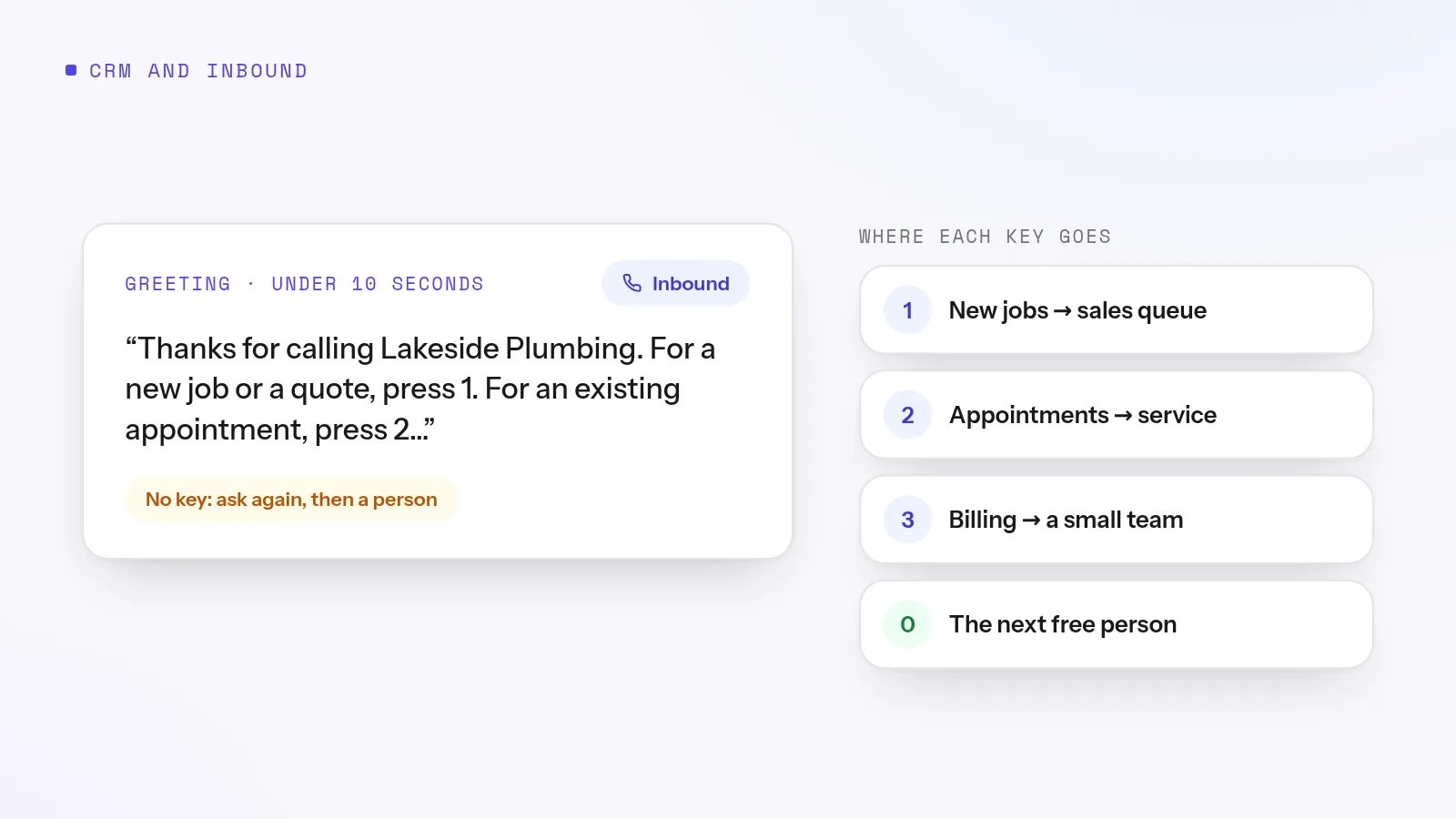
A good IVR menu has a greeting under 10 seconds, no more than four options, the most common reason for calling as option 1, and a clear route for callers who press nothing or the wrong key. Let a key press cut the greeting short, and send after-hours callers somewhere useful instead of the same menu.
An IVR menu, or phone tree, is the "press 1 for sales" recording callers hear when they ring your main number. Done well, it gets every caller to the right person without anyone transferring calls by hand. Done badly, it's the reason people hang up and call a competitor.
Rules for a menu callers don't hate
Keep the greeting short. Business name, one sentence, then the options.
Four options at most. Callers forget the first by the time they hear the fifth.
Most common reason first. If most calls are new customers, sales is option 1.
Say the option, then the number. "For sales, press 1" is easier to follow than "Press 1 for sales".
Let callers skip ahead. Regulars know the number they want; let a key press cut the greeting.
Plan for silence and wrong keys. Repeat the menu once or twice, then send the caller to a person or a queue.
Don't nest too deep. Two levels at most.
7 IVR menu examples
1. Simple small business
2. Sales team
3. Insurance agency
4. Real estate office
5. Solar or home services
6. Two-level menu
7. After hours
Try it on your own numbers. Adoptiv puts the dialer, the phone system and the CRM in one tool. Fourteen days free, with the AI switched on.
Adoptiv's IVR and auto attendant is a drag-and-drop step in a call flow, on every plan. The first key press cuts the greeting short. If a caller presses nothing, the menu waits 5 seconds, asks again up to 3 times, then sends them where you chose. Any key can open a second menu. Record the greeting, upload it, or type it and have it spoken in a saved voice.
Pair the menu with your business hours and holidays so after-hours callers get the closed route, and send each option to a call queue with hold music, a wait limit and an exit when it runs long. Test a call through the flow before you publish it. One limit to know: the menu is keypad only, so callers can't dial an extension or say a name. Keep the options short and plain.
Common questions
What is an IVR menu?+
The recorded menu callers hear when they call your business, asking them to press a key so the call reaches the right person or team.
How many options should an IVR menu have?+
No more than four on one level, with the most common reason for calling first.
What's the difference between an IVR and an auto attendant?+
An auto attendant is a simple IVR: a greeting and a keypad menu that routes calls. IVR can also mean more complex systems that look up account details.
What should an after-hours greeting say?+
That you're closed, when you open, how to reach someone in an emergency if that applies, and that they can leave a message.
Adoptiv is the dialer, the CRM and the AI on one platform, where the busywork logs itself and your reps just talk. Try it free for 14 days, with no credit card.
Questions? Call +1 (844) 955-7733. SIYA answers and puts you through to a person.