
Phone numbers, in 10 short videos
Buy, move and set up the numbers you call and text from. Watch it through in two minutes, or read each step.
6 articles10 videos · 1:4912 min read
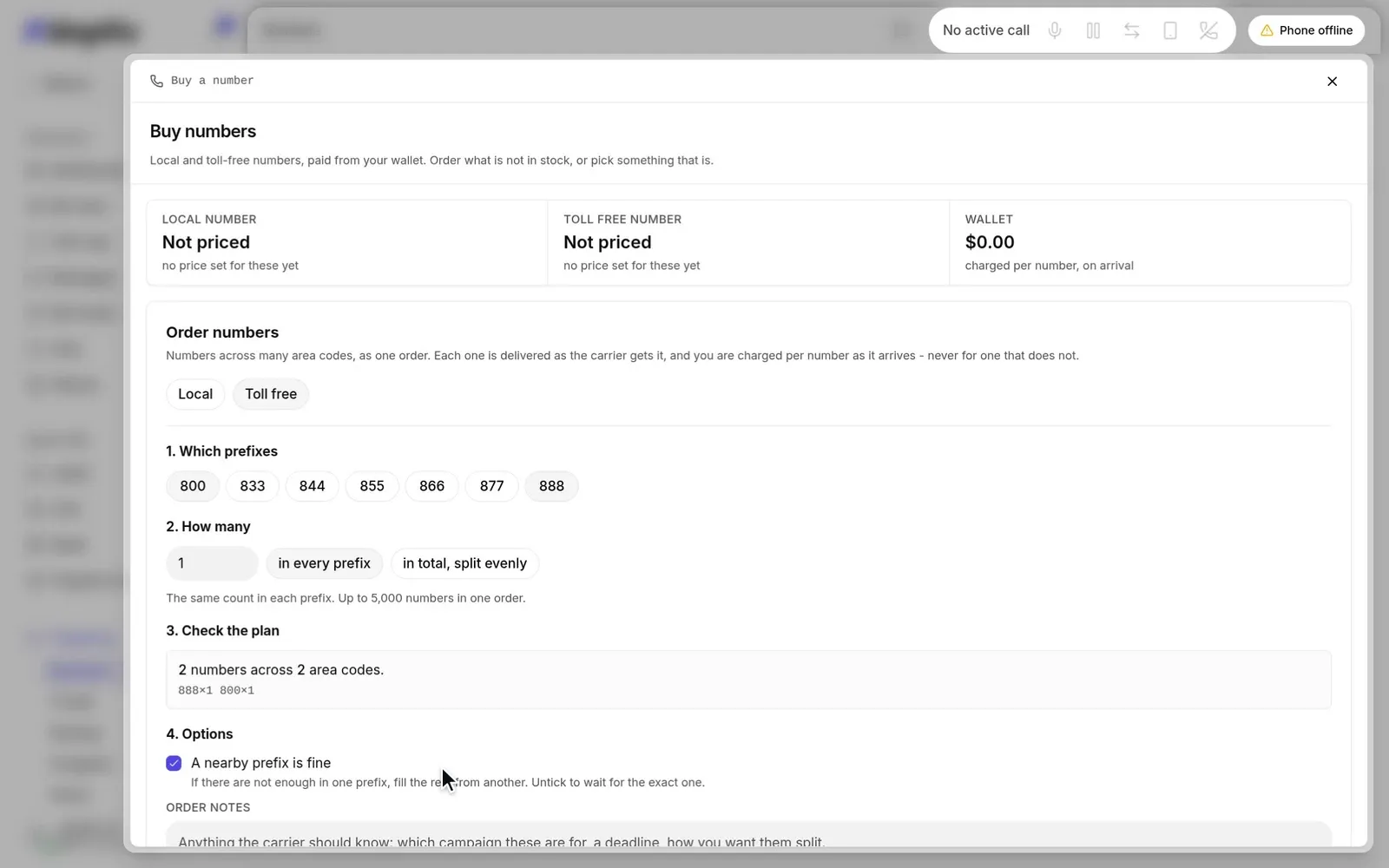 0:16Step 1 · Order numbers
Video 1 of 10
Buy a phone number
Pressing Buy a number: the panel shows what each kind of number costs and the wallet; under Order numbers, Toll free is chosen with the 888 and 800 prefixes, the plan lists one number in each, and the pointer moves to Place order.
Read this part of the articlePrefer to read?
The six articles, in order
- 1
Buy a phone number
Order local or toll-free US numbers from Telephony, Numbers, paid from your wallet as they arrive - or claim the free number your plan includes.
2 min read · 1 videoAll 4 sections: Buy a phone number - 2
Move your numbers to Adoptiv
Check which of your existing numbers can move, then give your current provider's details, sign the authorization online, upload a recent bill and send it. Keep your old service running until the move is done.
- 3
Choose where calls to a number go
Point each number at a call flow or straight at a person from Telephony, Numbers, or add many numbers to one call flow at once.
2 min read · 2 videosAll 5 sections: Choose where calls to a number go - 4
Choose which number your calls show
Adoptiv picks the best of your numbers for each call and shows why. You can change it in the call dialog's From box before you dial.
- Which numbers you can useVideo, 0:07
- Change the number for one callVideo, 0:11
- How Adoptiv picks the best number
2 min read · 2 videosRead it: Choose which number your calls show - 5
Get your numbers ready to send texts
Check that a number can text and that texting is switched on. Adoptiv handles 10DLC registration and STOP opt-outs for you.
2 min read · 3 videosAll 6 sections: Get your numbers ready to send texts - 6
Release or cancel a phone number
Give up a number you no longer need. A number you're paying for is cancelled at its renewal date; any other number can be released straight away.
2 min read · 2 videosAll 5 sections: Release or cancel a phone number
Other topics
Still need help?
Chat with our team, or email us and we will get back to you.