
Integrations, in 11 short videos
Connect Zapier and calendars, send leads in and events out with webhooks, send from your own mail server and manage API keys. Watch it through in two minutes, or read each step.
5 articles11 videos · 2:2616 min read
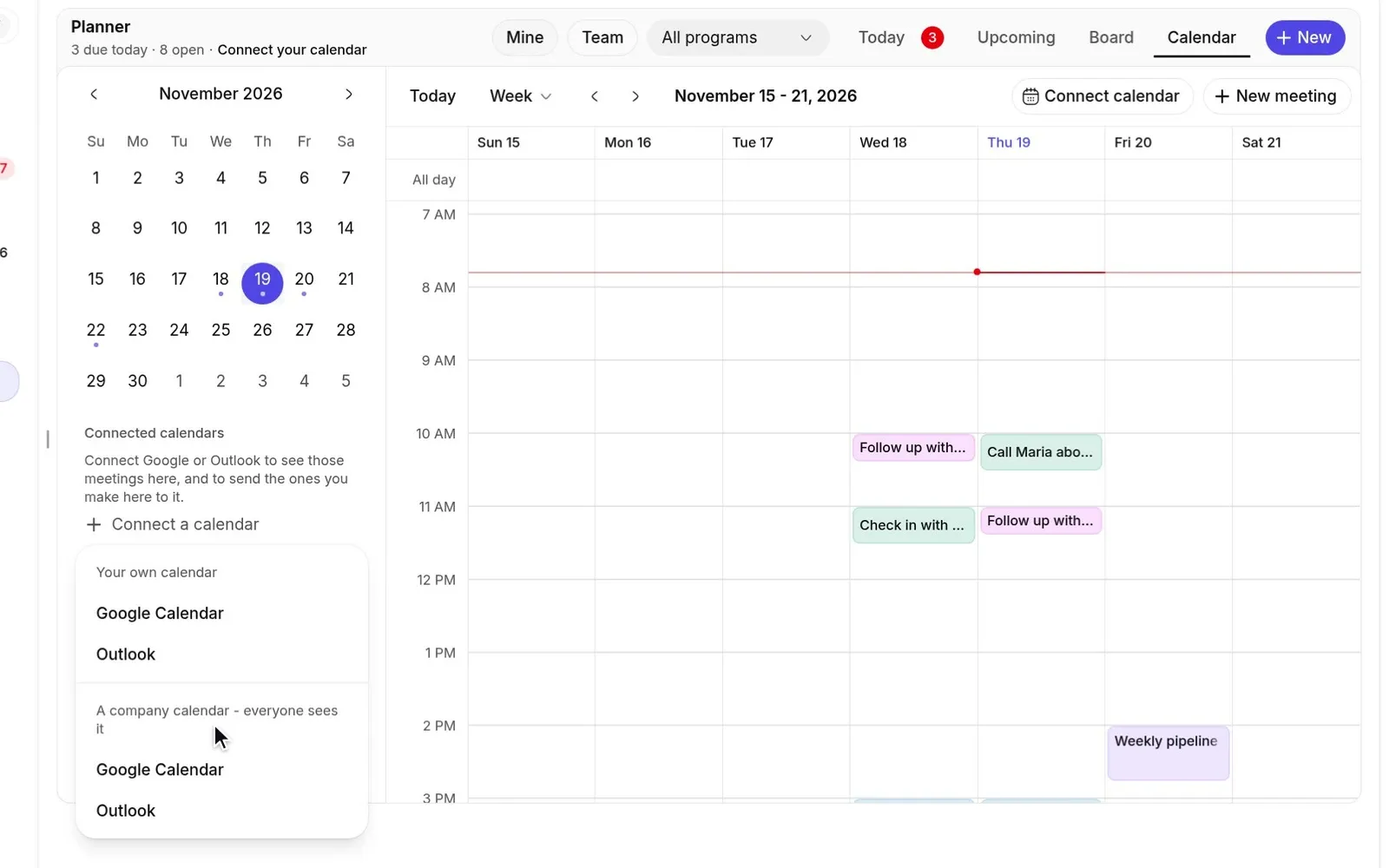 0:10Step 1 · Connect your Google or Outlook calendar
Video 1 of 11
Connect Zapier and calendars
In Planner, choosing the Calendar view and pressing Connect a calendar under Connected calendars opens a menu with Google Calendar and Outlook under Your own calendar, and again under A company calendar - everyone sees it.
Read this part of the articlePrefer to read?
The five articles, in order
- 1
Connect Zapier and calendars
Connect Zapier to create and update leads, sync your Google or Outlook calendar in the Planner, and add Calendly, Zoom, Google Meet or Microsoft Teams.
2 min read · 1 videoAll 4 sections: Connect Zapier and calendars - 2
Send leads in with incoming webhooks
Give a website form, lead vendor or other system a webhook URL to post to, and have a call flow create the lead. Covers the token, signature and API key headers, what to send and the answers it gets.
5 min read · 1 videoAll 8 sections: Send leads in with incoming webhooks - 3
Tell other systems with outgoing webhooks
Have Adoptiv post a signed JSON event to your own system when a lead is created, a call ends or a deal moves. Covers the event names, the signature check, retries and the log of what was sent.
3 min read · 3 videosAll 7 sections: Tell other systems with outgoing webhooks - 4
Send email from your own mail server
Add an SMTP, Mailgun, SendGrid, Amazon SES or Resend server so sequence and call flow emails go out from your own domain, choose who may send from it in New email, and pick the default.
3 min read · 3 videosAll 5 sections: Send email from your own mail server - 5
Manage API keys
Create, copy and revoke workspace API keys for posting into your incoming webhooks, add your own Blacklist Alliance key for compliance lookups, and read the log of lookups Adoptiv made.
3 min read · 3 videosAll 6 sections: Manage API keys
Other topics
Still need help?
Chat with our team, or email us and we will get back to you.