
Deals, in 13 short videos
Track opportunities through your pipelines, close them and forecast what's coming. Watch it through in three minutes, or read each step.
4 articles13 videos · 2:4711 min read
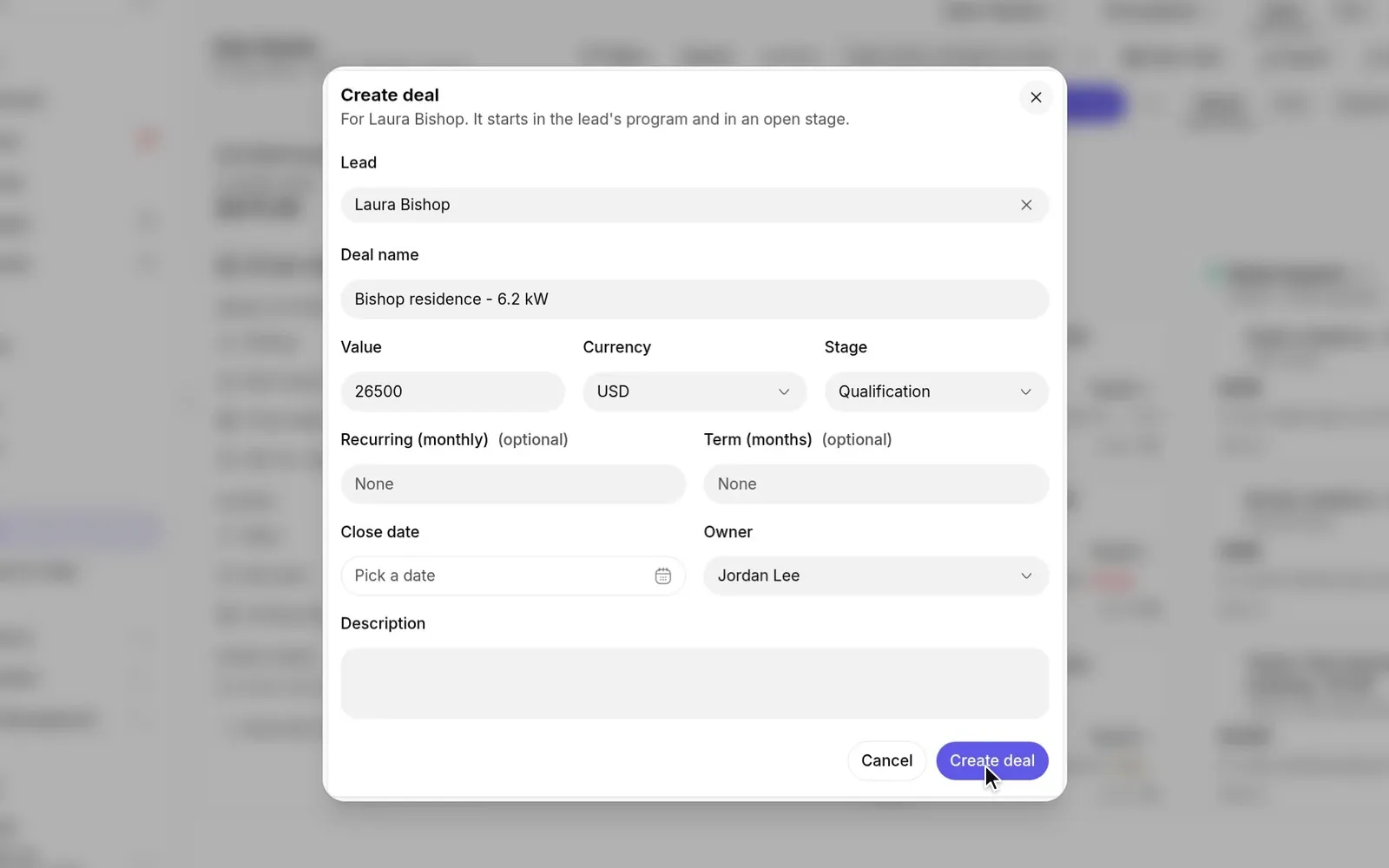 0:17Step 1 · Create a deal
Video 1 of 13
Create and work deals
Pressing New deal, picking the lead Laura Bishop, typing a deal name and a value of 26,500, leaving the currency on USD, choosing the Qualification stage and pressing Create deal; the new deal opens.
Read this part of the articlePrefer to read?
The four articles, in order
- 1
Create and work deals
Create a deal for a lead, move it through your pipeline on the board, update it, hand it to someone else, and delete or restore it.
4 min read · 4 videosAll 6 sections: Create and work deals - 2
Set up pipelines and stages
Create deal pipelines, add and order their stages, set each stage's chance of winning and when deals rot, and turn pipelines off.
2 min read · 3 videosAll 5 sections: Set up pipelines and stages - 3
Win or lose a deal
Mark a deal won or lost with a reason, reopen a closed deal, and set up the list of win and loss reasons your team picks from.
2 min read · 3 videosAll 5 sections: Win or lose a deal - 4
Forecast your pipeline
Read the quarter's forecast on the Deals page, understand Commit, Best case and Weighted, and set a deal's forecast category and chance of winning.
3 min read · 3 videosAll 6 sections: Forecast your pipeline
Other topics
Still need help?
Chat with our team, or email us and we will get back to you.