
Lists, programs and fields, in 8 short videos
Organize leads into lists and programs, and shape them with your own fields, stages and sources. Watch it through in two minutes, or read each step.
4 articles8 videos · 1:5311 min read
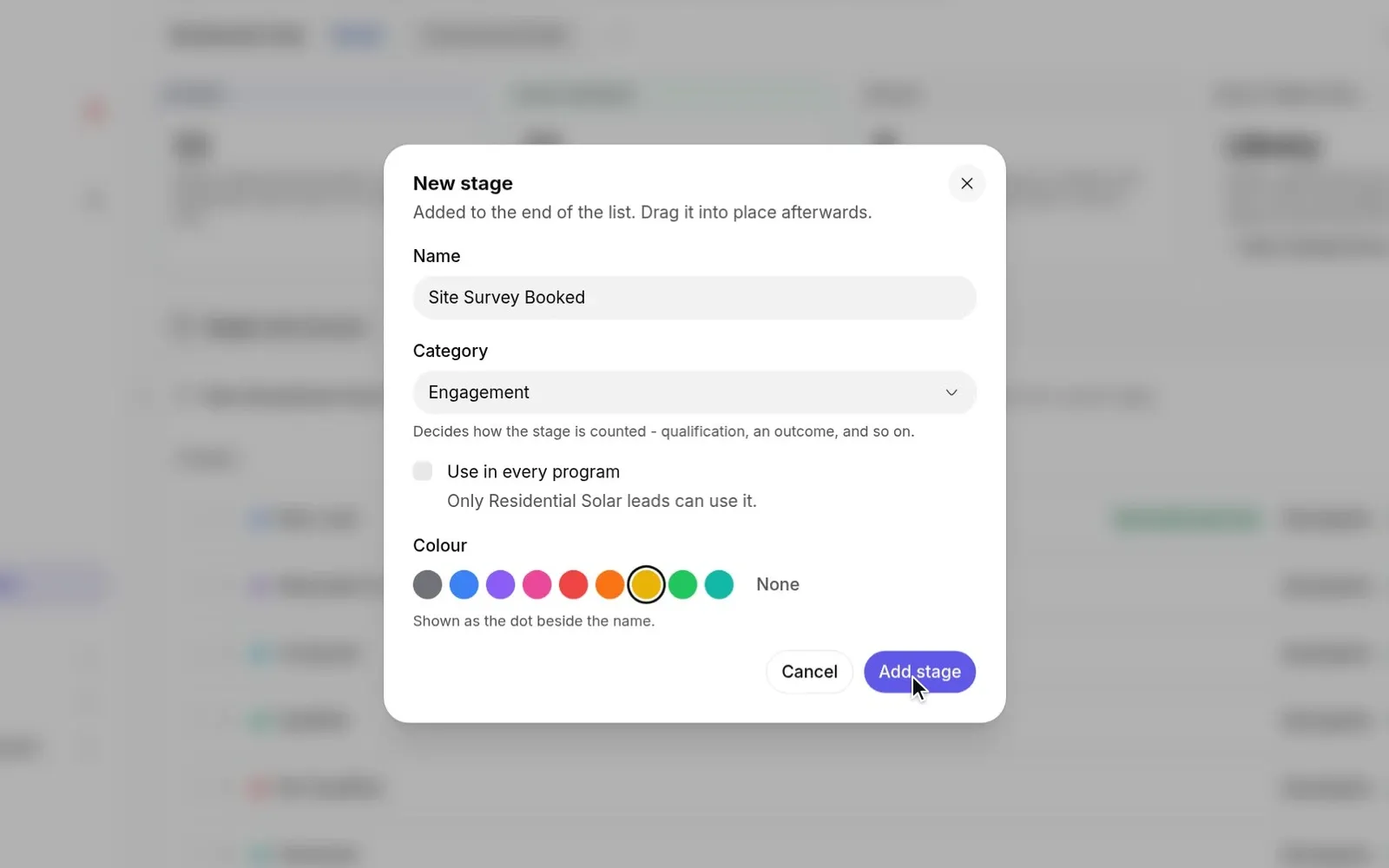 0:18Step 1 · Add a stage
Video 1 of 8
Set up lead stages and sources
On Programs & data, pressing Add beside Stages, naming the stage Site Survey Booked, choosing the Engagement category and an amber colour, pressing Add stage, then dragging it by its handle up to sit after Meeting Scheduled.
Read this part of the articlePrefer to read?
The four articles, in order
- 1
Set up lead stages and sources
Add, order, rename and delete the stages a lead moves through and the sources leads come from, and choose the stage new leads start on.
2 min read · 2 videosAll 6 sections: Set up lead stages and sources - 2
Add custom fields
Add fields your leads or deals need beyond the built-in record, group them into sections, choose who can see and edit them, or start from a template.
3 min read · 2 videosAll 7 sections: Add custom fields - 3
Create and use lead lists
Make static or smart lists of leads, add and remove leads in bulk, work a list in the grid, export it, and archive it when you're done.
3 min read · 2 videosAll 6 sections: Create and use lead lists - 4
Keep lines of business apart with programs
Use programs to give each line of business its own lead stages, sources and fields: create, copy, rename and archive programs, and move leads between them.
3 min read · 2 videosAll 6 sections: Keep lines of business apart with programs
Other topics
Still need help?
Chat with our team, or email us and we will get back to you.