CRM roles and permissions: how to set them up for a sales team
Adoptiv Team··3 min read
Short answer
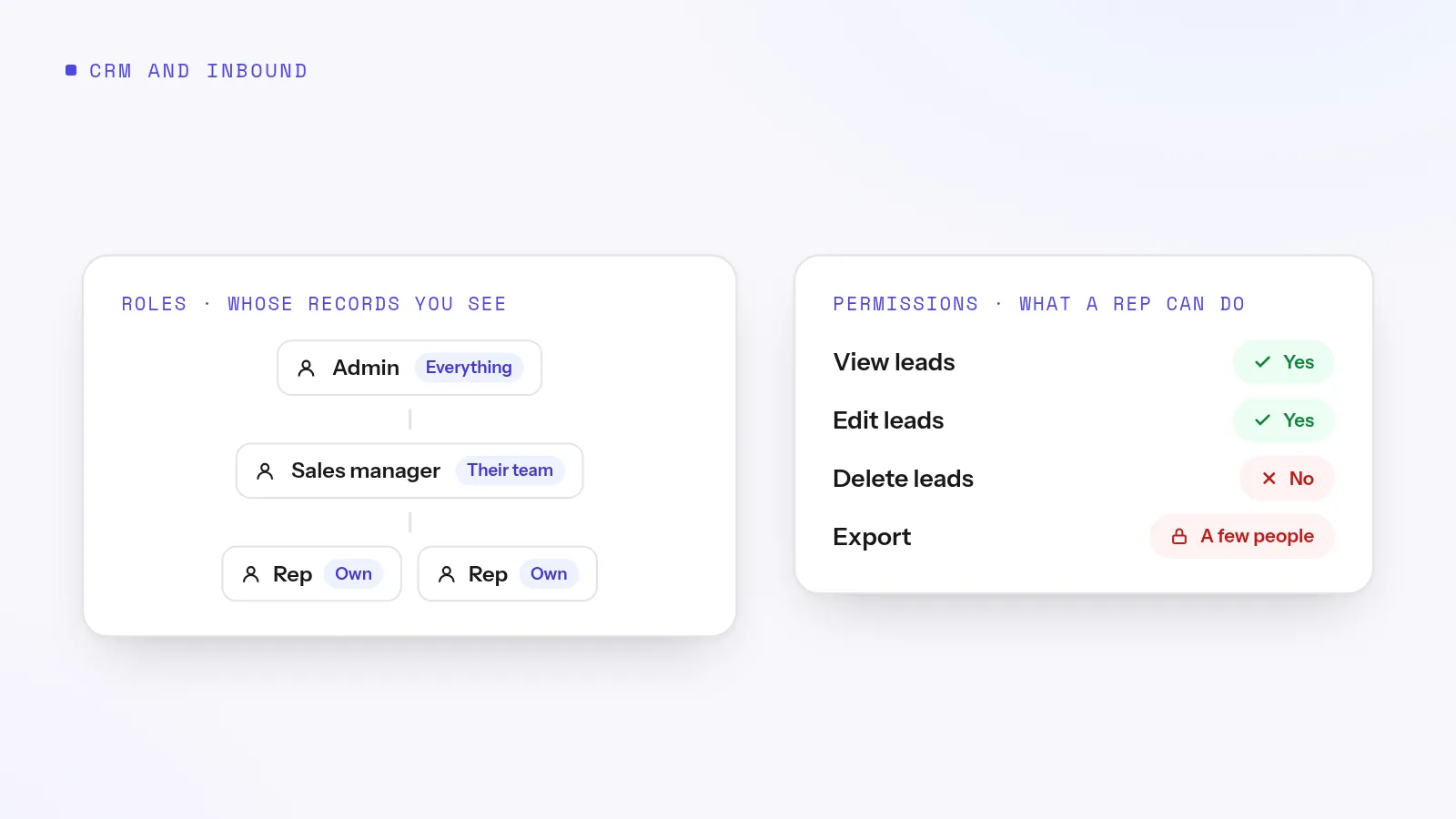
Set up CRM access in two layers. Roles decide whose records each person can see: reps see their own, managers see their team's, admins see everything. Permissions decide what they can do with them, such as edit, delete or export. Start strict, keep export to a few people, and open access only where two teams genuinely work together.
Most small sales teams start with everyone seeing everything. It's fine at three reps. At twelve, it means a rep who leaves can download the whole lead list on their way out, two reps call the same prospect, and nobody can say who changed a deal. Setting up roles and permissions takes an afternoon, and it's far easier before the team grows than after.
Roles vs permissions
Roles
Permissions
Answers
Whose records can I see?
What can I do with them?
Shaped like
Your org chart
A checklist per record type
Example
A manager sees everyone below them
Reps can edit leads but not delete or export them
Changes when
Someone is promoted or moves teams
You decide a job needs more or less power
Four example setups
Team
Reps see
Managers see
Export
5-rep inside sales team
Their own leads
Everything
Owner only
Two pods with team leads
Their own leads
Their pod
Sales manager only
Setters and closers
Setters: their own; closers: their own plus a sharing rule to read setters' leads
Their branch
Nobody on the floor
BPO with three clients
Their own leads
Their client's branch only
Account managers, per client
Try it on your own numbers. Adoptiv puts the dialer, the phone system and the CRM in one tool. Fourteen days free, with the AI switched on.
Export. The single biggest risk. A rep rarely needs to download a list.
Delete. Reps can disqualify a lead; they shouldn't erase it.
Import. Imports can overwrite data in bulk. Keep them with whoever owns data quality.
Reassigning leads. Decide who may hand a lead to whom, or the best leads drift to whoever moves fastest.
Sensitive fields, such as commission or internal notes, can be hidden by section rather than by whole record.
Mistakes that leak your book
Granting by name instead of role. A list of names is out of date the day someone changes jobs.
"Created by me" as ownership. When a lead is handed on, the person who created it should usually lose sight of it.
One admin account shared by managers. Nobody can tell who did what.
Opening everything to fix one problem. If closers need setters' leads, share those records, not the whole workspace.
Never reviewing. Check roles every quarter, and on the day someone leaves.
How Adoptiv does it
In Adoptiv, roles and permissions are kept apart. You draw a role tree, starting from the one role a new workspace has. Each role decides whose records its people reach: Own, Subordinate (their own plus everyone beneath them) or Everything. Own means assigned to you now, not created by you, so a handed-on lead follows its new owner.
Each role uses a permission profile, and several roles can share one. That's how three regional managers get the same powers over different books. Profiles set create, read, update, delete, export and import separately for leads, deals, products, vendors, tasks, commission rules and goals, plus sixteen workspace switches. Sharing rules open one role's records to one other role for read, write or delete, and they don't cascade down either branch. Each role also has an assignment rule: hand work to yourself alone, to your peers and everyone beneath, to those beneath only, or to anybody, and it can be widened to named roles or a team. Field access is set by section through field groups, and these rules also decide what bulk actions can reach.
Common questions
What is the difference between a CRM role and a permission?+
A role decides whose records you can see, based on where you sit in the team. A permission decides what you can do with them.
Should sales reps see each other's leads?+
Usually not. Reps working their own book should see their own leads, with managers seeing the team's.
How do I stop reps exporting the lead list?+
Turn off export on the profile reps use. In Adoptiv, export is set separately for each record type.
Can a manager see their team's leads?+
Yes, with subordinate visibility: their own records plus everyone beneath them in the role tree.
Adoptiv is the dialer, the CRM and the AI on one platform, where the busywork logs itself and your reps just talk. Try it free for 14 days, with no credit card.
Questions? Call +1 (844) 955-7733. SIYA answers and puts you through to a person.