How to send web form leads to your CRM instantly (with webhooks)
Adoptiv Team··3 min read
Short answer
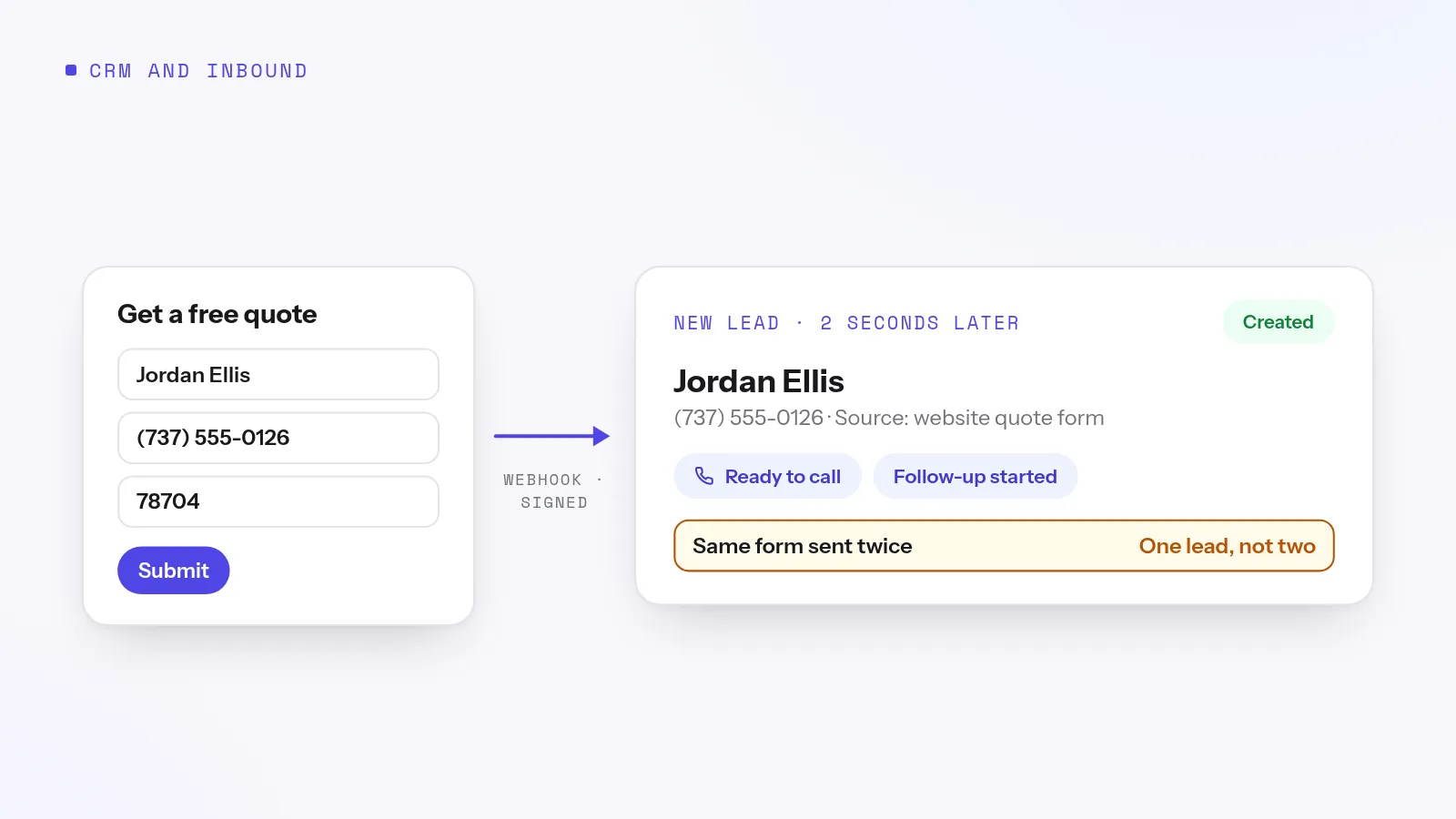
Give each form or lead vendor its own webhook address from your CRM. When someone submits, the form sends the details to that address, and the CRM creates the lead within seconds, ready to call and enroll in follow-up. Protect each address with a signing secret or token, and make sure retries don't create duplicate leads.
A lead that sits in an inbox for an hour is worth a fraction of one called in the first few minutes. If your web form emails someone who then copies the details into the CRM, you've built a delay into every lead. Webhooks remove it: the form talks to the CRM directly, the moment the visitor clicks submit.
How it works
The CRM gives you an address, a unique URL for one source, such as your website form or one lead vendor.
You paste it into the sender: your form builder, landing page tool, vendor portal or your own app.
Someone submits, and the sender posts the details to that address.
The CRM checks the request and creates the lead.
Follow-up starts: the lead is assigned, enrolled in a sequence and ready for a rep to call.
Ways to get form leads into a CRM
Method
Speed
Reliability
Best for
Email notification, typed in by hand
Minutes to hours
Typos, missed emails
Nobody, past a handful of leads
Daily CSV export and import
Up to a day
Good, but late
Aged or bulk lists
Connector tool between apps
Seconds to minutes
Good; one more account to manage
Tools with no webhook option
Direct webhook
Seconds
Good, with signatures and duplicate checks
Web forms and lead vendors
Setup checklist
One address per source. If one vendor misbehaves, you can cut off that vendor alone.
Turn on verification. A signing secret if the sender supports it, a shared token if not. An address with neither accepts anything sent to it.
Map the fields. Make sure the form's field names line up with the CRM's: first name, last name, phone, email and source.
Send a test lead and check every field on the record.
Decide what happens next: who gets the lead, which sequence starts, and how fast someone calls.
Watch the log for the first week. Refused requests usually mean a wrong secret or a missing field.
Try it on your own numbers. Adoptiv puts the dialer, the phone system and the CRM in one tool. Fourteen days free, with the AI switched on.
Senders retry when they don't get a fast answer, and some vendors resend a lead on purpose. Without protection, one form submission can become two or three leads, each called by a different rep. Look for a CRM that recognizes a repeat delivery and ignores it, rather than one you have to clean up after.
Then call fast
Getting the lead in is half the job. The other half is calling while they're still on your website. Our speed to lead guide covers how to call every new lead within a minute.
How Adoptiv does it
Adoptiv's inbound webhooks give each source its own generated 32-character address. Set a signing secret, and Adoptiv checks the HMAC signature against the exact body received. If the sender can't sign, it checks a shared token instead. Requests over the size limit, 1 MB unless you raise it (up to 50 MB), are refused before they're read, and you can cap requests per minute for each source. A repeat delivery within 24 hours, recognized from the sender's delivery key or a fingerprint of the body, gets the same success reply and starts nothing new. Every request, accepted or refused, is logged with sensitive headers blanked. To cut a source off, generate a new address and the old one stops working.
Point the address at the automation that creates the lead, then let automatic enrollment start its sequence. A webhook can create a lead, but it doesn't create deals or tasks directly. To read or update records from your own systems, use the REST API.
Common questions
What is a CRM webhook?+
A web address another app sends data to when something happens, such as a form being submitted. The CRM receives it and acts, for example by creating a lead.
How fast does a webhook lead arrive?+
Usually within seconds of the form being submitted, much faster than email or daily imports.
Can a webhook create duplicate leads?+
It can when a sender retries. Use a CRM that recognizes repeat deliveries, as Adoptiv does for 24 hours.
Is a webhook secure?+
It is when every address uses a signing secret or token. An address with neither will accept any request.
Adoptiv is the dialer, the CRM and the AI on one platform, where the busywork logs itself and your reps just talk. Try it free for 14 days, with no credit card.
Questions? Call +1 (844) 955-7733. SIYA answers and puts you through to a person.