After-hours call handling: 5 setups and greeting scripts
Adoptiv Team··3 min read
Short answer
Good after-hours call handling has three parts: one schedule that says when you're closed, holidays included, a greeting that tells callers what they can do now, and a place for their call to go, such as a voicemail box someone checks first thing, an on-call number or a callback. Set it once and every line should follow it.
Plenty of calls come in when nobody is there to answer them: early mornings, lunch, evenings and the day after Thanksgiving. A caller who hears a phone ring out, or a greeting that says "we're open" at 9 p.m., usually tries the next business on the list. Handling those calls well doesn't need a night shift. It needs a schedule that's right and a clear next step for the caller.
Five after-hours setups
Setup
What the caller gets
Best for
Watch out for
Greeting + shared voicemail
Your hours, then a message box
Most small businesses
Someone must own the box each morning
Greeting + menu
"Press 1 for an emergency, 2 to leave a message"
Home services, property management
Define "emergency" in the greeting
On-call forward
A real person on a mobile
Urgent repairs, after-hours sales
Rotate the on-call person fairly
Another team or site
A live answer in another time zone
Teams spread across zones
That team needs the same scripts
Callback promise
"We'll call you back by 10 a.m."
Sales lines where speed wins deals
Only promise a time you'll keep
Greeting scripts you can record today
Standard closed message: "Thanks for calling Brightline Roofing. We're closed right now. Our office is open Monday to Friday, 8 a.m. to 6 p.m., and Saturday 9 to 1. Leave your name, number and the address of the job after the tone, and we'll call you back first thing."
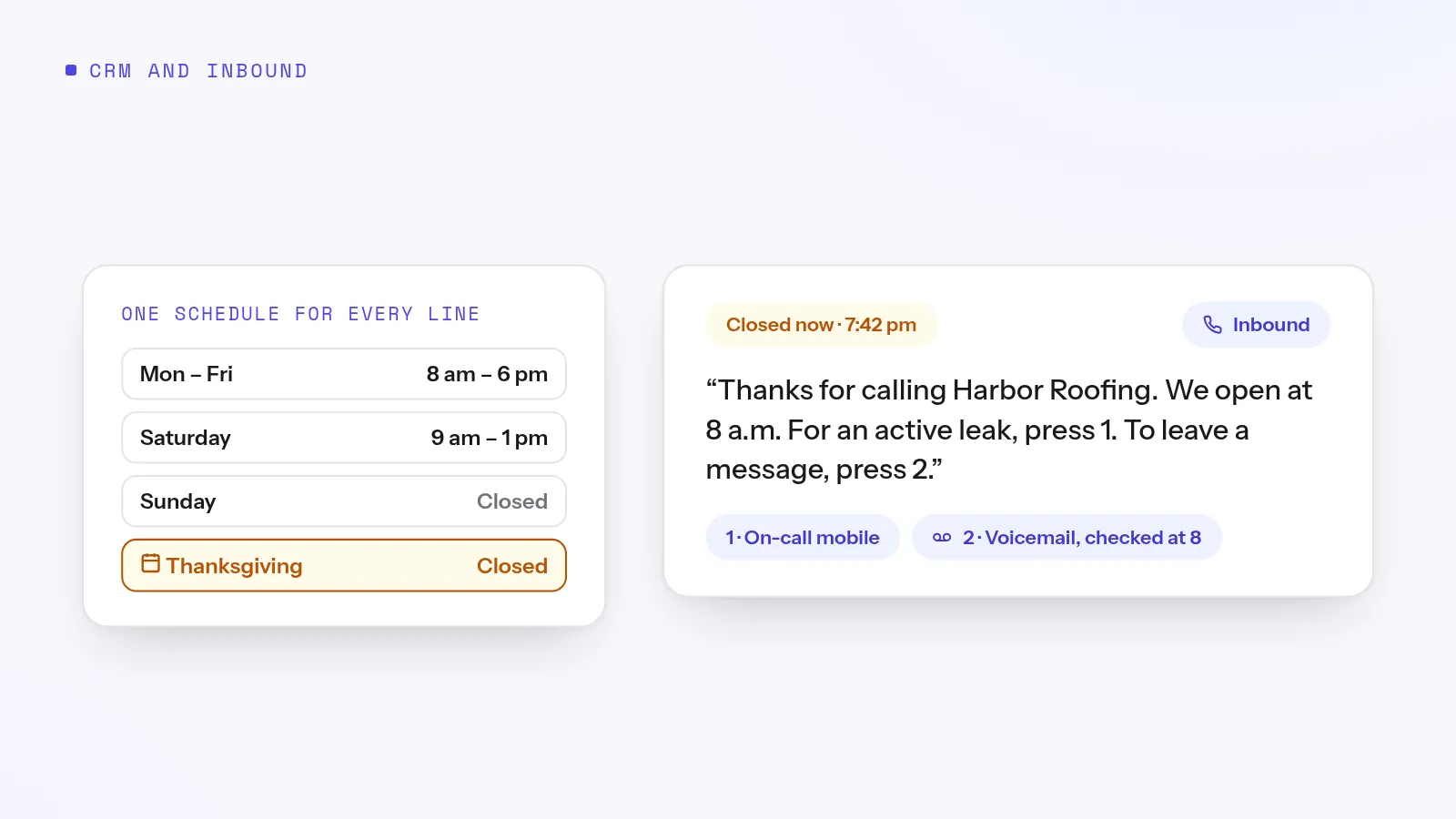
With an urgent option: "You've reached Keystone Property Management after hours. If water or gas is leaking, or you're locked out, press 1 to reach our on-call technician. For anything else, press 2 to leave a message, and we'll return it by 10 tomorrow morning."
Holiday: "Thanks for calling Harbor Insurance Agency. We're closed today for the holiday and back on Friday at 8 a.m. Leave a message and we'll call you Friday morning. If you need to report a claim, call the number on your policy card."
Lunch close: "Hi, you've reached Oak Street Realty. We're at lunch until 1 p.m. Leave a message, or call back after one, and someone will pick up."
Every greeting should say who you are, that you're closed, when you open, and what the caller should do now. Keep it under 30 seconds.
Try it on your own numbers. Adoptiv puts the dialer, the phone system and the CRM in one tool. Fourteen days free, with the AI switched on.
Hours set line by line. When the main line, the sales queue and the support menu each keep their own hours, one of them is always wrong after a change.
Forgotten holidays. Add the year's holidays in January, not on the morning of.
A voicemail nobody owns. Name who clears the after-hours box and by what time.
No text follow-up. A caller who hangs up without a message is still a lead. A missed call text back reaches them before they call someone else.
A menu in the way at 2 a.m. Keep after-hours menus to two options at most. Our IVR menu examples include an after-hours tree.
How Adoptiv does it
In Adoptiv, business hours and holidays are one schedule that call flows, menus, queues and campaigns all read, so changing your hours is one edit. Each day is on or off with its own open and close time, and a close earlier than the open runs past midnight for night shifts. Holiday calendars take single dates, ranges and dates that come back every year. Each day has one open window, so a lunch close needs a second schedule. Schedules use your organization's time zone and only take effect once you switch them on.
The schedule only answers open or closed; each flow decides what closed means, whether that's a message, a voicemail box, another queue or an IVR menu. Voicemail boxes can belong to the company, a team, a role or a person. Each has main, busy and unavailable greetings, and you can set a message length from 10 seconds to 10 minutes. New messages arrive by email one at a time or as a digest with transcripts. There are no text-message alerts, so whoever owns the box should check their email first thing.
Common questions
What should an after-hours greeting say?+
Your business name, that you're closed, when you open, and what the caller can do now, such as leave a message or press a key for an urgent line.
How do I route calls differently on holidays?+
Add the holidays to your schedule ahead of time, so every line closes on those dates and plays your holiday greeting.
Should after-hours calls go to voicemail or a person?+
Voicemail suits most businesses. If an after-hours call can mean a lost job or a real emergency, add an on-call option to the menu.
Can my hours run past midnight?+
Yes, in Adoptiv. Set a close time earlier than the open time and the schedule runs overnight.
Adoptiv is the dialer, the CRM and the AI on one platform, where the busywork logs itself and your reps just talk. Try it free for 14 days, with no credit card.
Questions? Call +1 (844) 955-7733. SIYA answers and puts you through to a person.