How to share a dashboard with clients (without giving them a login)
Adoptiv Team··3 min read
Short answer
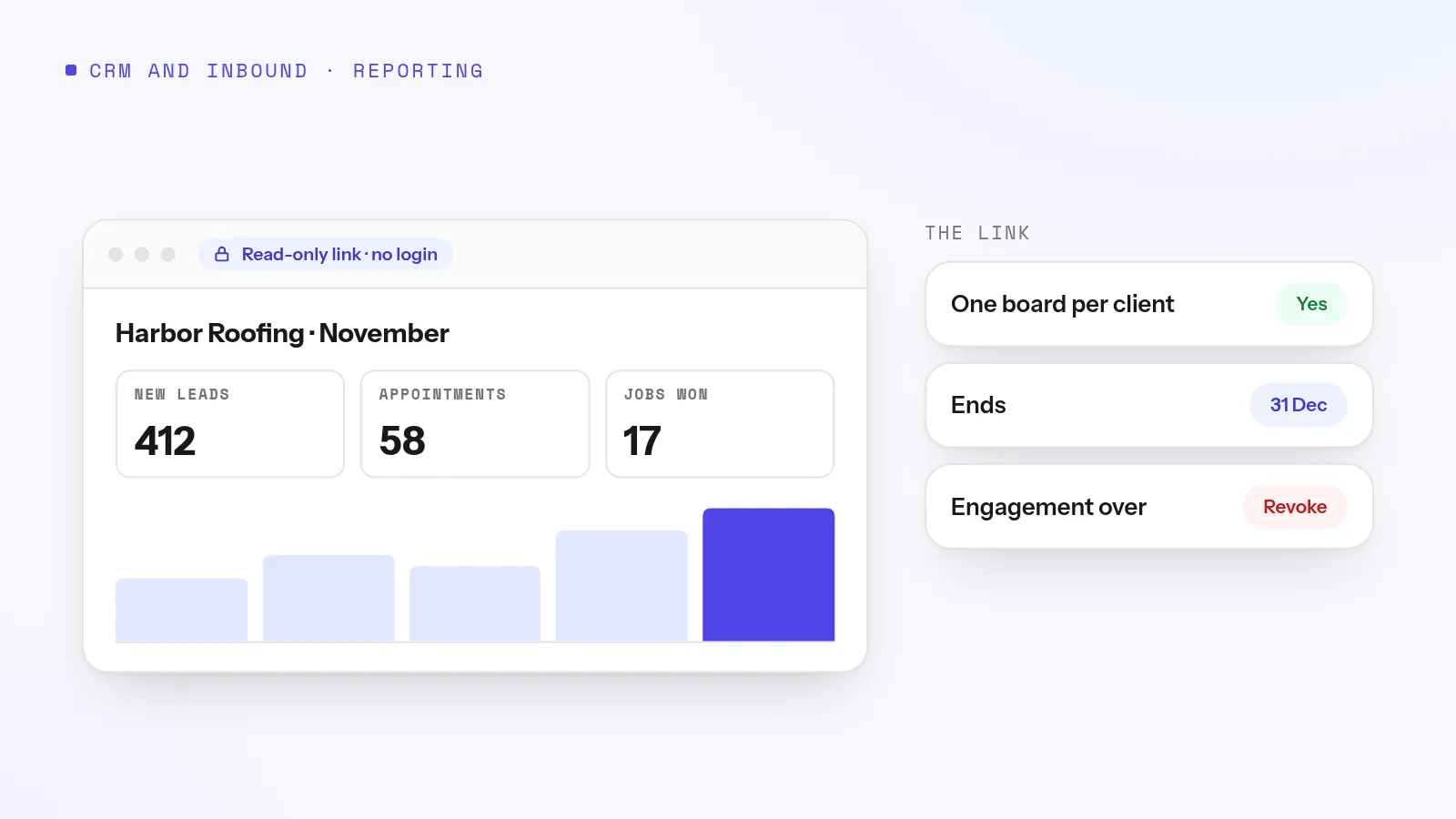
The simplest way to share a dashboard with a client is a read-only link that expires: they open it in a browser with no account and see the numbers as they stand today. Build a separate board for each client with only their figures on it, set an end date on the link, and revoke it when the engagement ends.
Every agency, BPO and outsourced sales team gets the same question from clients: "How's it going?" It usually comes on a Friday afternoon. The usual answer is an export pasted into a spreadsheet or a screenshot of a report. Both are out of date by Monday, and neither can be taken back once it's sent. A shared dashboard answers the question before it's asked, but only if you share it in a way that doesn't hand the client a key to your whole system.
Four ways to share numbers with a client
Client login
Emailed export
Screenshot
Expiring public link
How current
Live
The day it was sent
The moment it was taken
Live when opened
Setup for the client
An account, a password, training
None
None
None
Risk of seeing too much
High if permissions slip
Whatever is in the file
Low
Only the board you chose
Taking it back
Disable the account
Impossible
Impossible
Revoke the link
Paid seat needed
Often
No
No
No
For most client reporting, the link wins: it stays current, the client needs nothing, and you control when it ends.
What to put on a client board
The figures in your contract. If you're paid on appointments set or leads qualified, those go at the top.
Trend, not just totals. A week-by-week chart answers "is it getting better?" before the client asks.
One date range for the whole board, printed where they can see it, so nobody compares last week to this month by mistake.
A short description saying what each figure means and how it's counted.
Try it on your own numbers. Adoptiv puts the dialer, the phone system and the CRM in one tool. Fourteen days free, with the AI switched on.
Other clients' numbers. Build one board per client rather than one board with a filter. A filter can be changed; a separate board can't leak.
Individual agent rankings, unless the contract calls for them. Clients tend to ask for named people to be moved off their account.
Internal costs and margins. Obvious, but it happens when a manager shares their own board in a hurry.
Raw record lists with customer names and numbers. A summary answers the client's question without the exposure.
Five rules for client links
Always set an end date. Match it to the reporting period or the contract, and extend it if the work continues.
One board, one client, one link. If the client's contact changes, make a new link rather than forwarding the old one.
Treat a link as publishing. Anyone the client forwards it to can see the board until it ends.
Revoke on the last day of the engagement, not when someone remembers.
Check the board before you send it, exactly as the client will see it.
How Adoptiv does it
In Adoptiv, a public link sends a client a board with no login. It lasts seven days unless you choose otherwise, up to a year, and can be extended without changing the address, even after it has lapsed. Revoking it stops it at once. Each board has one live link, and making a new one retires the old. The link is shown only once, when it's made, and only the board's owner can publish it; an admin who can open the board still can't.
The client sees the board's name, description, time zone, date range and its tiles, and nothing else in your workspace. Tiles on dashboards are counted from your CRM records, such as leads, deals and their stages. Call volume, answer rate and queue figures live on the call analytics page rather than as board tiles, so a client board reports outcomes rather than call counts.
Everyone on a board sees the same figures, so build one board per client. For your own team, use dashboard sharing by team or role instead, read-only for the floor and edit for team leads.
Common questions
How do I share a dashboard with a client who has no account?+
Send a read-only public link to the board. The client opens it in any browser with no login and sees the board as it stands when they open it.
Is a public dashboard link safe?+
Anyone who has the link can view the board until it expires or is revoked. Keep sensitive figures off client boards, set an end date and revoke links you no longer need.
Can I show different clients different numbers?+
Yes, by giving each client their own board with only their figures on it and sending each one its own link.
What happens when the link expires?+
The address stops working. In Adoptiv you can extend it and the same address works again.
Adoptiv is the dialer, the CRM and the AI on one platform, where the busywork logs itself and your reps just talk. Try it free for 14 days, with no credit card.
Questions? Call +1 (844) 955-7733. SIYA answers and puts you through to a person.